Disassembly
2 - 10 Removing and Installing the Processor
2.Disassembly
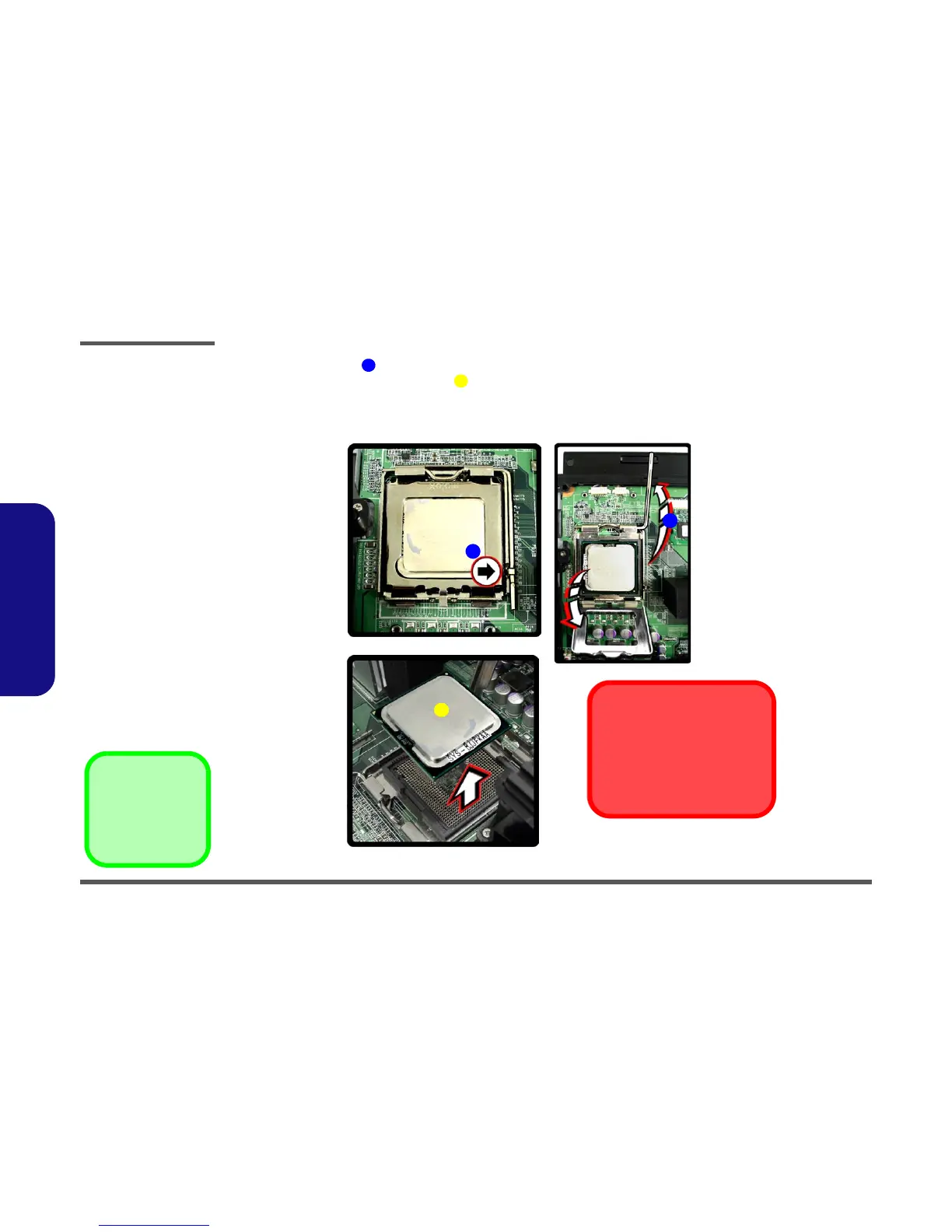
4. Lift the release latch to release the CPU (Figure 2 - 5c).
5. Carefully (it may be hot) lift the CPU up out of the socket (Figure 2 - 5d).
6. When re-inserting the CPU, pay careful attention to the pin alignment, it will fit only one way (DO NOT FORCE
IT!).
6
7
c.
7
d.
Caution
The heat sink, and CPU area in
general, contains parts which are
subject to high temperatures. Allow
the area time to cool before remov-
ing these parts.
6
6
Figure 2 - 5
Processor
Removal
Sequence (cont’d)
c. Lift the release latch to
unlock the CPU.
d. Lift the CPU out of the
socket.
7. CPU



 To Next Page