Disassembly
Removing the LCD Back Cover 2 - 15
2.Disassembly
Removing the LCD Back Cover
1. Remove the 3 component covers (page 2 - 7 and page 2 - 11).
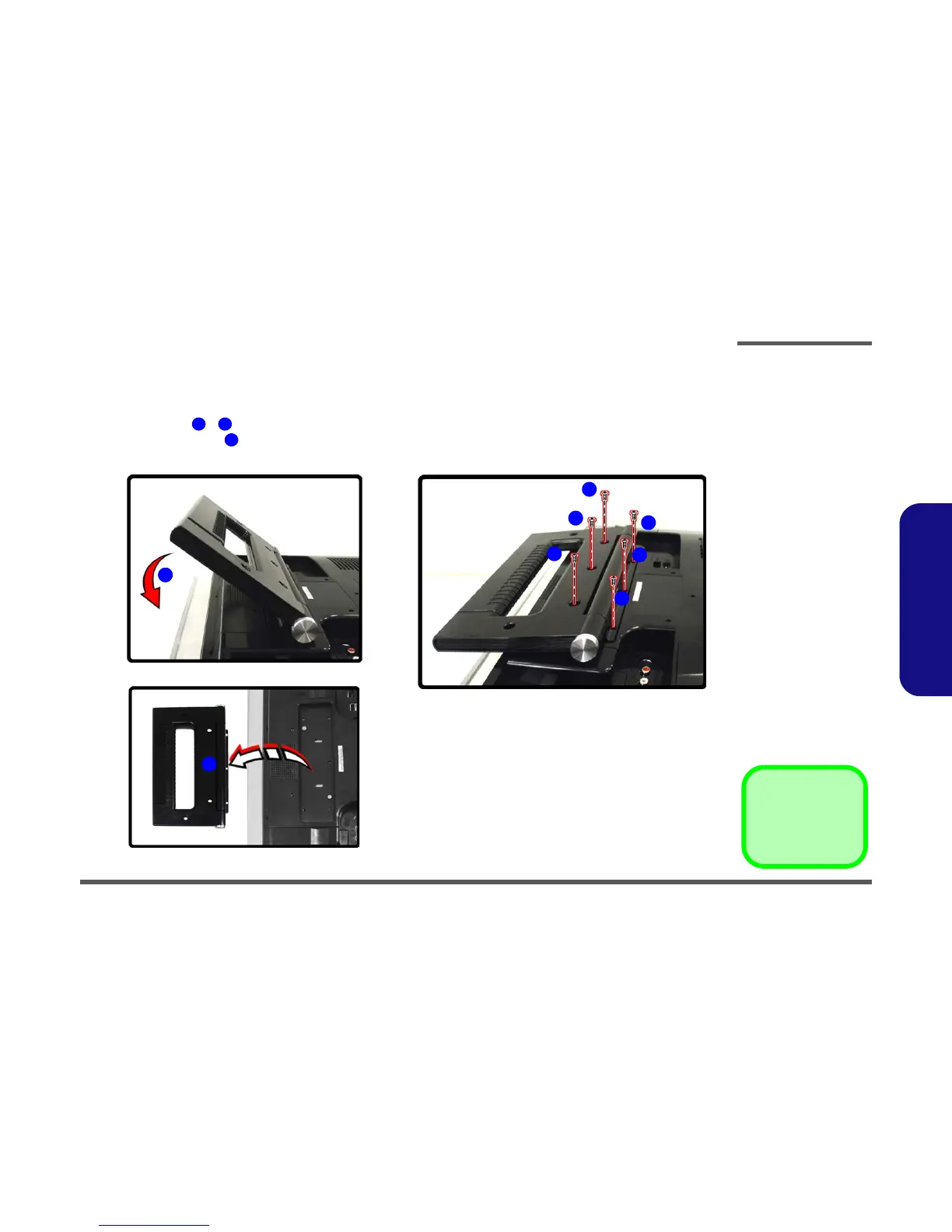
2. Set the hinge support to its transport position.
3. Remove screws - from the hinge support.
4. Lift the hinge support from the main unit and set it aside.
Figure 2 - 10
LCD Back Cover
Removal
Sequence
a. Set the hinge support
to its transport posi-
tion.
a. Remove the screws
from the hinge sup-
port.
b. Lift the hinge support
and set it aside.
2 7
8
8. Hinge
•6 Screws
a.
1
2
3
4
6
5
7
8
b.
c.



 To Next Page