Disassembly
2 - 12 Removing the Wireless LAN Module
2.Disassembly
Removing the Wireless LAN Module
1. Remove the modem module (page 2 - 11).
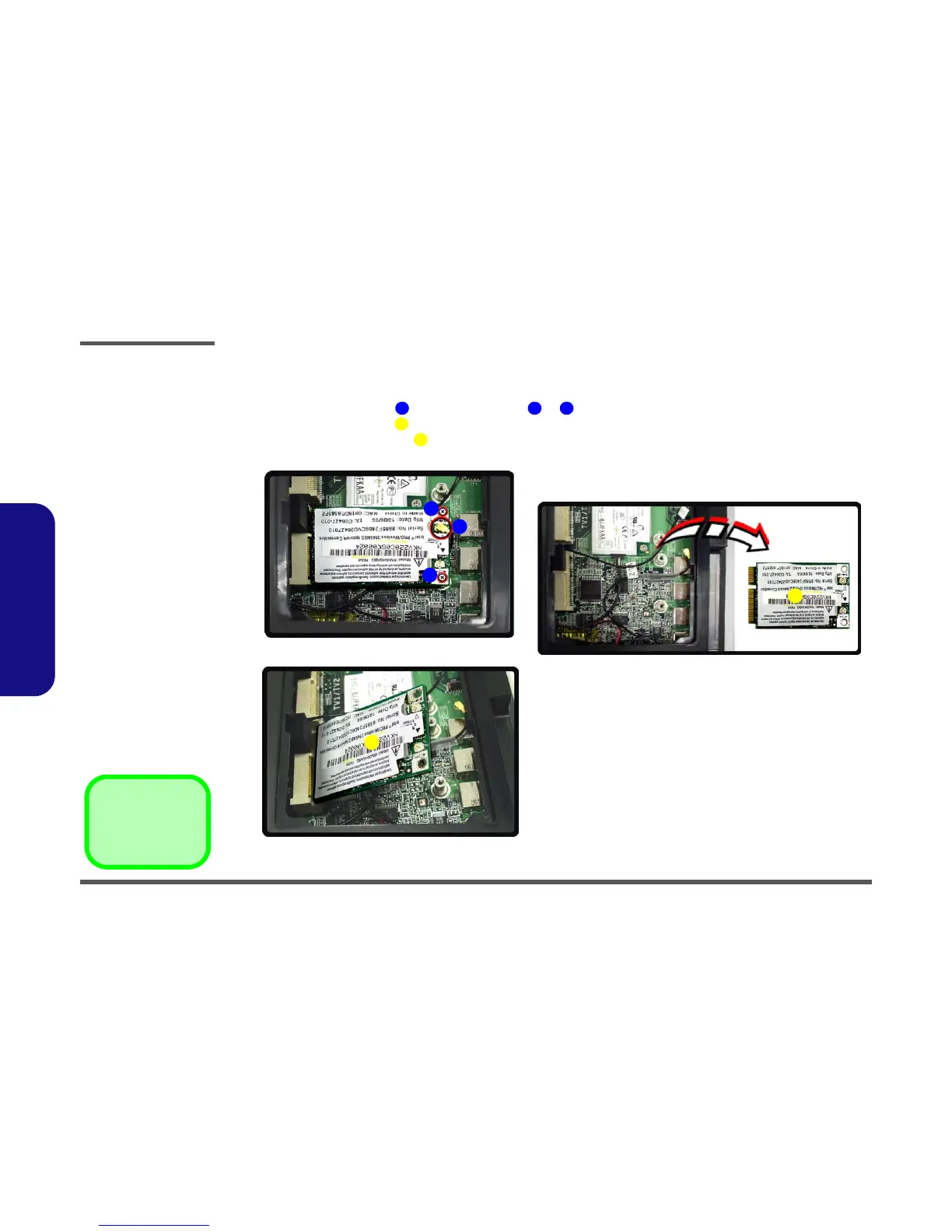
2. Carefully disconnect cable , then remove screws & from the module socket.
3. The wireless LAN module will pop-up.
4. Lift the wireless LAN module up and off the computer.
Figure 2 - 7
Wireless LAN
Module Removal
Sequence
a. Disconnect the cable
and remove the 2
screws.
b. The WLAN module will
pop-up.
c. Remove the WLAN
module.
1 2 3
4
4
2
3
1
a.
c.
4
b.
4
4. WLAN Module
•2 Screws



 To Next Page