EasyManua.ls Logo

Intel SE7520BD2 - User Manual

Intel SE7520BD2
59 pages
Print Icon
To Next Page IconTo Next Page
Loading...
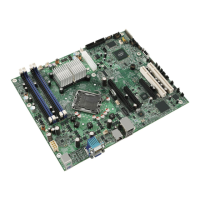
Intel® Server Board SE7520BD2
User Guide
A Guide for Technically Qualified Assemblers of Intel
®
Identified
Subassemblies/Products
Order Number: C51518-004

Table of Contents

Other manuals for Intel SE7520BD2

Questions and Answers

  • E
    Elizabeth KimSep 10, 2025
    Why add-in adapter stopped working without apparent cause on Intel SE7520BD2?
    • E
      Ellen WallaceSep 10, 2025
      First, try reseating the adapter; then try a different slot if necessary. If that doesn't work, the network driver files may be corrupt or deleted, so delete and then reinstall the drivers. You can also run diagnostics.
  • L
    Lisa JamesSep 12, 2025
    What to do if the controller stopped working when an add-in adapter was installed on Intel SE7520BD2 Server Board?
    • D
      Daniel WolfeSep 12, 2025
      Ensure the cable is connected to the port from the on-board network controller. Make sure your BIOS is current. Verify that the other adapter supports shared interrupts and that your operating system supports shared interrupts. Try reseating the add-in adapter.
  • M
    Mr. Ricardo JonesSep 14, 2025
    What to do if diagnostics pass but the connection fails on Intel Server Board?
    • J
      John GrantSep 14, 2025
      Make sure the network cable is securely attached and that you specify the correct frame type in your NET.CFG file.
  • S
    shannonnewtonSep 15, 2025
    Why the Intel SE7520BD2 Server Board hangs when the drivers are loaded?
    • J
      jodirobinsonSep 15, 2025
      Certain drivers may require interrupts that are not shared with other PCI drivers. It may be necessary to alter settings so that interrupts are not shared.
  • N
    nguyenmartinSep 18, 2025
    What to do if system cooling fans do not rotate properly on Intel SE7520BD2?
    • S
      Shane WoodSep 18, 2025
      Check if the power-on light is lit. If your system has LED lights for the fans, check if one or more of these LEDs are lit. See if any other front panel LEDs are lit. Use the server management subsystem to check the fan status to see if any of the fan motors have stopped or if your fans have speeded up in response to an overheating situation or a fan failure. Ensure the fan power connectors and the cable from the front panel board are properly connected to the server board and front panel board, respectively. Verify that the power supply cables are properly connected to the server board. Check for any shorted wires caused by pinched cables or power connector plugs forced into power connector sockets the wrong way.
  • P
    Philip WalshDec 3, 2025
    What to do if no characters appear on the screen using Intel SE7520BD2 Server Board?

    Summary

    Preface

    Safety Information

    Details critical safety warnings, precautions, and handling procedures for system operation.

    Server Board Features

    Hardware Installations and Upgrades

    Before You Begin

    Advises to review safety information before starting installations.

    Installing and Removing Memory

    Explains the process for installing and removing memory modules.

    Installing or Replacing the Processor

    Guides on installing or replacing the system's processor.

    Installing the Heat Sink(s)

    Provides instructions for installing the processor heat sink.

    Removing a Processor

    Details the procedure for removing the processor from the socket.

    Installing or Removing a PCI Card

    Explains how to install or remove PCI expansion cards.

    Replacing the Backup Battery

    Guides on how to replace the system's backup battery.

    Server Utilities

    Using the BIOS Setup Utility

    Explains how to navigate and use the BIOS Setup utility.

    Upgrading the BIOS

    Provides instructions for updating the system BIOS.

    Crisis Recovery Diskette

    Explains how to create a crisis recovery diskette for BIOS.

    Recovering the BIOS

    Details methods for recovering the BIOS if it becomes damaged.

    Troubleshooting

    Getting Help

    Intel SE7520BD2 Specifications

    General IconGeneral
    BrandIntel
    ModelSE7520BD2
    CategoryServer Board
    LanguageEnglish

    Related product manuals