15
Wi-Fi Network Scheduling
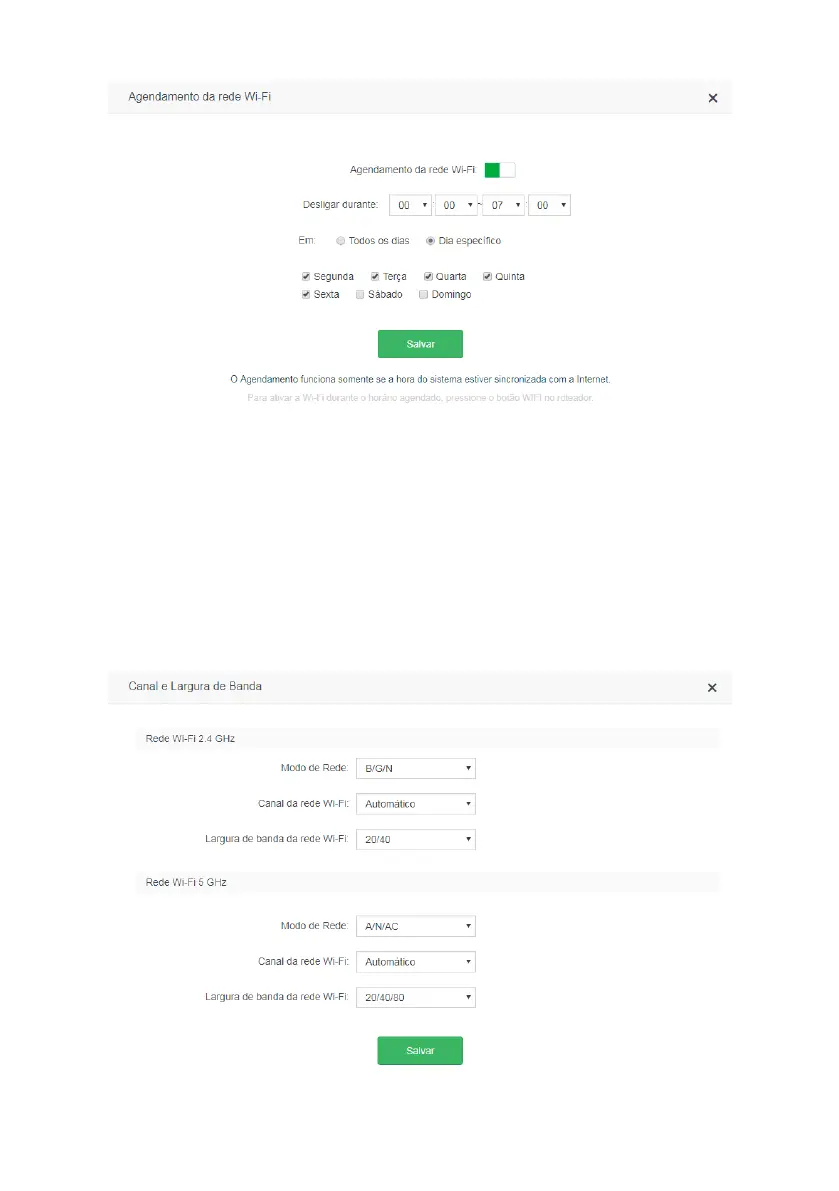
Wi-Fi scheduling conguration screen
In the menu
Wi-Fi Network Scheduling
you can schedule a time to turn off your Wi-Fi network. Schedu-
ling will only work if the system time is synchronized with the Internet. You can check the system time in
System settings>Time settings
.
To disable your Wi-Fi network at a scheduled time simply enable the option
Wi-Fi Network Scheduling
, choose the
interval at which you wish to disable the Wi-Fi network, and the days on which the scheduling should take effect.
Note: if you wish to turn Wi-Fi on when it is off because it is within a scheduled time, press the
Wi-Fi
button located
on the back of your router.
Channel and bandwidth



 To Next Page