29
» Subnet mask: LAN subnet mask of the router.
» DHCP Server: allows to enables or disables the DHCP server in the LAN of the router. When disabling the DHCP server,
you must congure an IP address in each device connected to the router.
» IP Address interval: the DHCP server will deliver to the devices connected to the router an IP address within the
specied range.
» Lease Time: the time interval the device will be able to use the IP address. After the end of this time the device will
automatically request a new IP address from the router or renew the lease time.
» Conguring DNS manually: if you want to use specic DNS servers, you can enable this option and enter the servers
in the
Primary DNS Server
and
Secondary DNS Server.
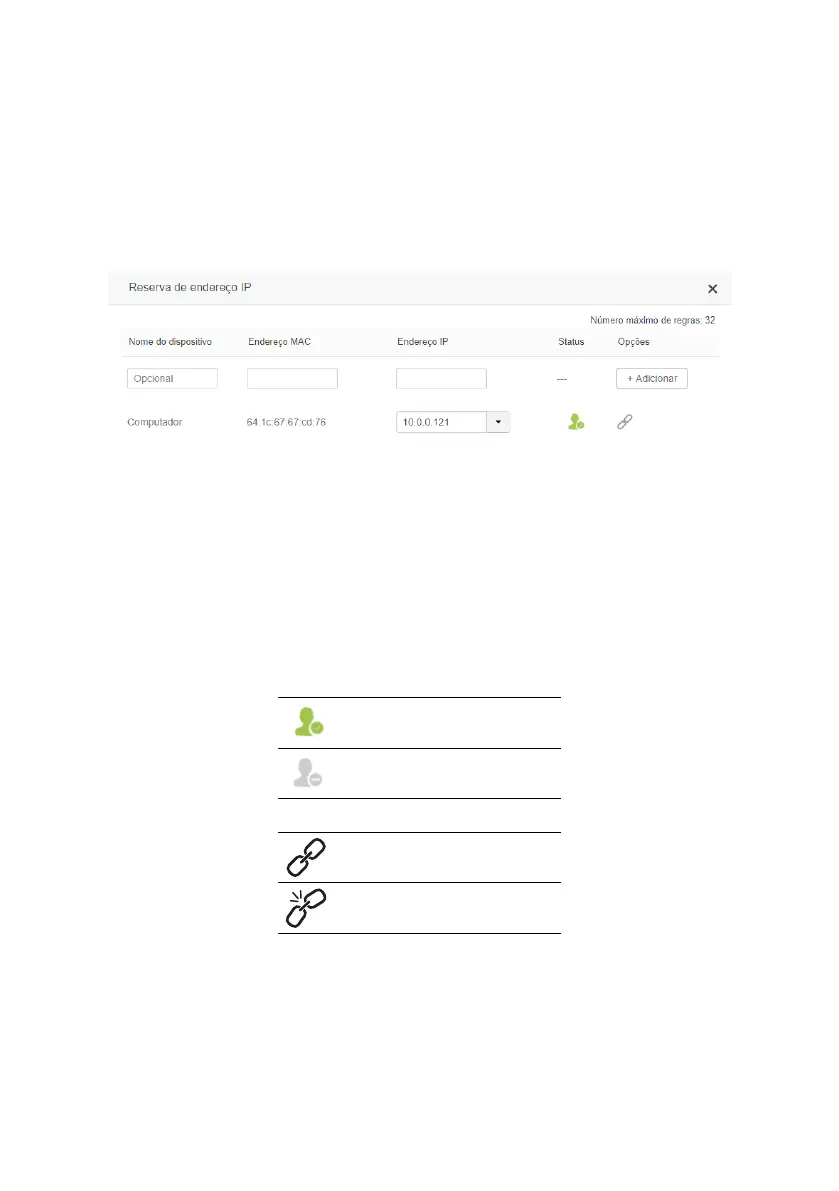
IP address reservation
IP address reservation conguration screen
In the menu
IP address reservation
you can reserve an IP address for a device, so that it always receives the same IP
address when connecting to the router.
When you enter the menu
IP address reservation
, the list of devices will appear with the following information:
» Device name: device name. This name can be changed on the screen
Manage Devices
,
Parental Control
or
Parental
Control
.
» MAC Address: MAC address of the device. This eld cannot be changed.
» IP Address: When no association has been congured for the device, this eld tells you the current IP address of the
device. To change, just click on the eld and edit, or select the option
Manual
and then enter a new IP address.
» Status: informs if the device is connected to the router:
Device connected to the router
Device is not connected to router
» Options: the following options are available:
Click to associate the IP address to the device
Click to remove the IP address association
to the device



 To Next Page