30
Click to delete a manually created rule
If the device is not appearing in the list, you can add it manually by entering the information in the rst line of the list
and clicking
Add
.
Internet
port settings
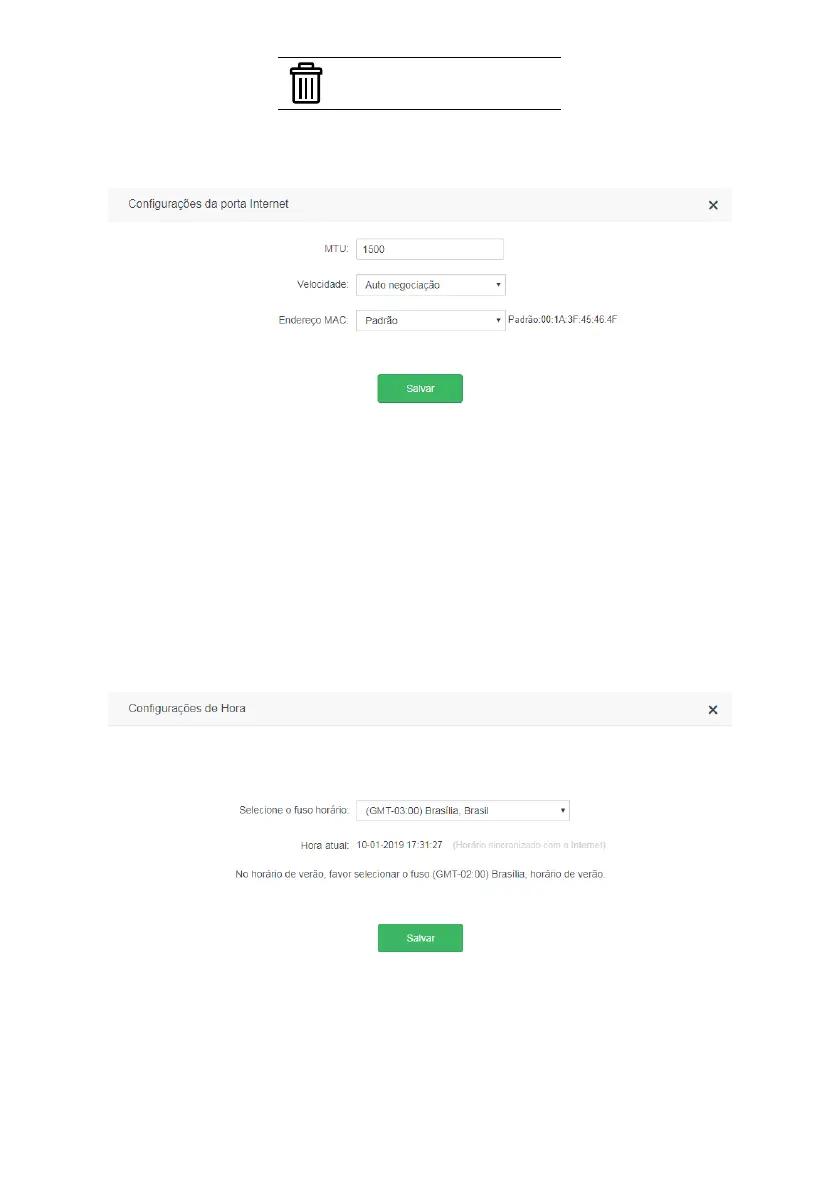
Internet port settings screen
On this screen, you can congure the following
Internet
port parameters:
» MTU: the modication of the MTU parameter should only be performed when requested by your ISP, or when the router
is being used in some scenario where the default value does not work. For most cases the default value (1500) can
remain unchanged.
» Speed: you can set the speed of the
Internet
port by setting a specic value or allowing automatic negotiation by
selecting the option
Autonegotiation
.
» MAC Address: allows you to associate a different MAC address from the default to your router’s
Internet
port. You
can manually enter the desired MAC address using the option
Congure MAC address
, copy the MAC address of your
current device to the
Internet
port using the option
Clone Local MAC Address
or use the default MAC address using
the option
Default
.
Time settings
Time settings screen
On this screen, you can select the time zone of your region and view the current router time. The system date and time
will be updated when ACtion RF 1200 has Internet access.
Note:
Brasilia time zone is GMT-03:00, Amazonas GMT-04:00, Acre GMT-05:00 and Fernando de Noronha GMT-02:00.



 To Next Page