6
Connecting the power cable
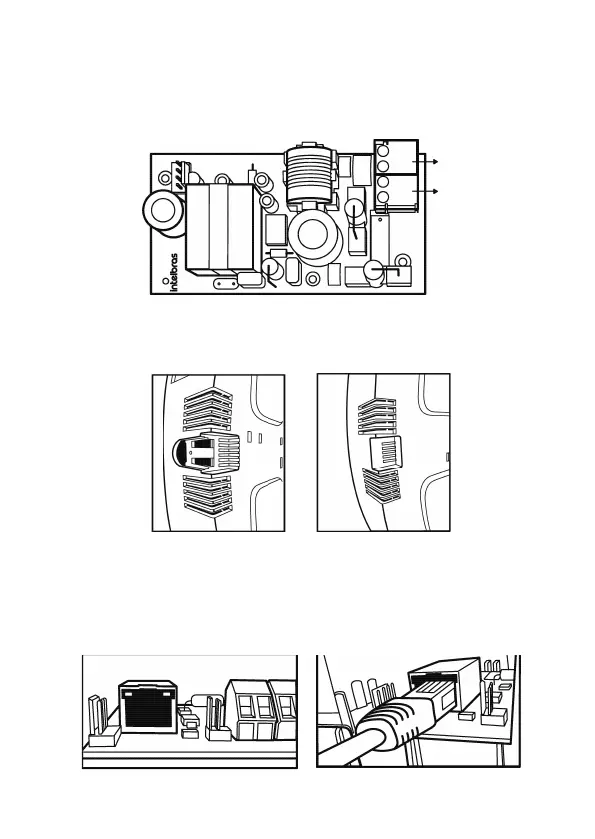
To connect the board to the AC mains it will be necessary to connect the cable to the
CN1 (AC) and the (CN2) GROUND connector of the power supply board, as shown
in the image below:
G
R
OUND
AC
AMT 2018 EG
and
AMT 2118 EG:
o
Antenna Connector
1
SIMl
SIM2
AMT 2118 E3G:
lnlbs
O
a■■■a ■a
°
Antenna Connector
Note: Intelbras alarm centers have on their sides some aps that can be cut to pass
cables without losing the product warranty.
G
R
OUND
AC
AMT 2018 EG
and
AMT 2118 EG:
o
Antenna Connector
1
SIMl
SIM2
AMT 2118 E3G:
lnlbs
O
a■■ ■a■a
°
Antenna Connector
G
R
OUND
AC
AMT 2018 EG
and
AMT 2118 EG:
o
Antenna Connector
1
SIMl
SIM2
AMT 2118 E3G:
lnlbs
O
a■■ ■a■a
°
Antenna Connector
1.2. Network cable connector
Communication via Ethernet is done through cabling on the main board. To use this
type of communication simply place one end of an RJ45 cable into the connector on
the board and the other end should be connected to an internet port on the router/
modem.
G
R
OUND
AC
AMT 2018 EG
and
AMT 2118 EG:
o
Antenna Connector
1
SIMl
SIM2
AMT 2118 E3G:
lnlbs
O
a■■■a ■a
°
Antenna Connector
G
R
OUND
AC
AMT 2018 EG
and
AMT 2118 EG:
o
Antenna Connector
1
SIMl
SIM2
AMT 2118 E3G:
lnlbs
O
a■■■a ■a
°
Antenna Connector
Note:the port speed is 10 Mb.



 To Next Page