End of Travel (Limit) Switches
The SCORA-ER 14 uses limit switches to
prevent the joints from moving beyond their
functional limits. When a control error fails to
stop the axis at the end of its working range,
the limit switch serves to halt its movement.
The switch is part of an electric circuit within
the robot arm, independent of the robot
controller.
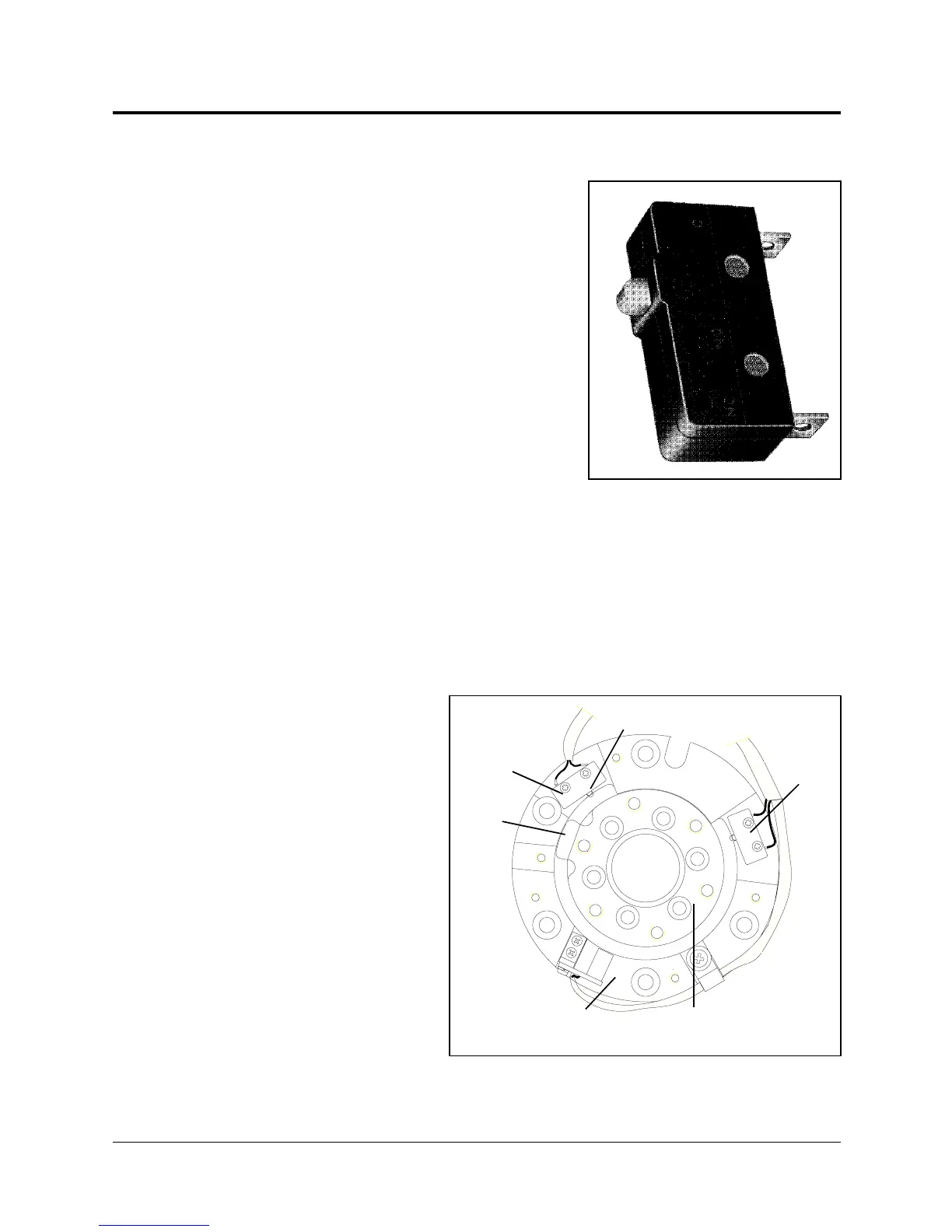
The limit switches used in the SCORA-ER 14
are shown in Figure 7-5.
Axes 1 and 2 each has two limit
switches—one at each end of the axis’
working range.
The limit switches are mounted on a disk
which is attached to the robot’s frame, as
shown in Figure 7-6.
The output shaft of the Harmonic Drive moves relative to the microswitch disk.
As the joint moves, a cam on the Harmonic Drive output shaft reaches a point at
which it forces the actuating button of the limit switch into a position which
activates the switch.
Axis 3 has two limit
switches—one at the upper
limit and one at the lower
limit of the axis’ range. The
switches are mounted on the
bracket alongside the spline
(slider).
Axis 4 (roll) has no travel
limit switches; it can rotate
endlessly. When a gripper is
attached to axis 4, its
movements are controlled
and limited by means of
software only (encoder).
Figure 7-5:
SCORA-ER 14 Limit Switch
CAM
LIMIT SWITCH
DISK
HARMONIC DRIVE
LIMIT
SWITCH
LIMIT
SWITCH
ACTUATING
BUTTON
Figure 7-6: Limit Switch Activation
SCORA-ER 14 7 - 4 User’s Manual
9603


 To Next Page