9
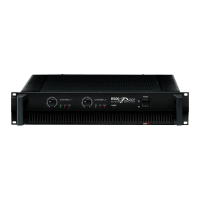
EMI-300
7-CHANNEL 2 X 150W MIXING AMPLIFIER
Operational Modes
Operational Modes
The EMI-300 can be operated in one of three modes—Stereo, Mono, or Bridge. Operational modes can be
selected with the AMP ROUTING switch (22). Depending on the selected mode, your speakers must be
connected in a specific way for the mode you have selected. First choose an operational mode that best suits
your needs from the list below, and then connect your speakers as suggested. Refer to the “Speaker
Connection,” section on Page 10 for more information on matching your speaker connection to your selected
operational mode.
How do you want to operate your EMI-300?
Stereo Mode gives you a versatile stereo setup.
Switch the AMP ROUTING switch into its left position, “Master 1 to Amp 1+2.” Connect your speakers to
terminals AMP 1 (left channel) and AMP 2 (right channel).
The following controls apply in this mode:
MIC 1 – volume level for mic 1
MIC 2 – volume level for mic 2
VOLUME – volume of active line input
LOW/HIGH – master EQ
MASTER 1 – active master volume level
Mono Mode can be used as a distributed background sound system.
Switch the AMP ROUTING switch into its middle position, “Master 1 to Amp 1/ Master 2 to Amp 2.” Connect
your speakers to terminals AMP 1 (for speaker set A) and AMP 2 (for speaker set B).
The following controls apply in this mode:
MIC 1 – volume level for mic 1
MIC 2 – volume level for mic 2
VOLUME – volume of active line input
LOW/HIGH – master EQ
MASTER 1 – master volume level for AMP 1 terminals
MASTER 2 – master volume level for AMP 2 terminals
Bridge Mode provides a powerful sound system for presentations or announcements.
Switch the AMP ROUTING switch into its right position, “Master 1 Bridge Mode.” Connect your speakers to the
BRIDGE OUT terminals (19). Do not use other speaker terminals in this mode.
The following controls apply in this mode:
MIC 1 – volume level for mic 1
MIC 2 – volume level for mic 2
VOLUME – volume of active line input
LOW/HIGH – master EQ
MASTER 1 – active master volume level


 To Next Page