D-0134090-A – 2022/11
VisualEyes™ - Instructions for Use - EN Page 54
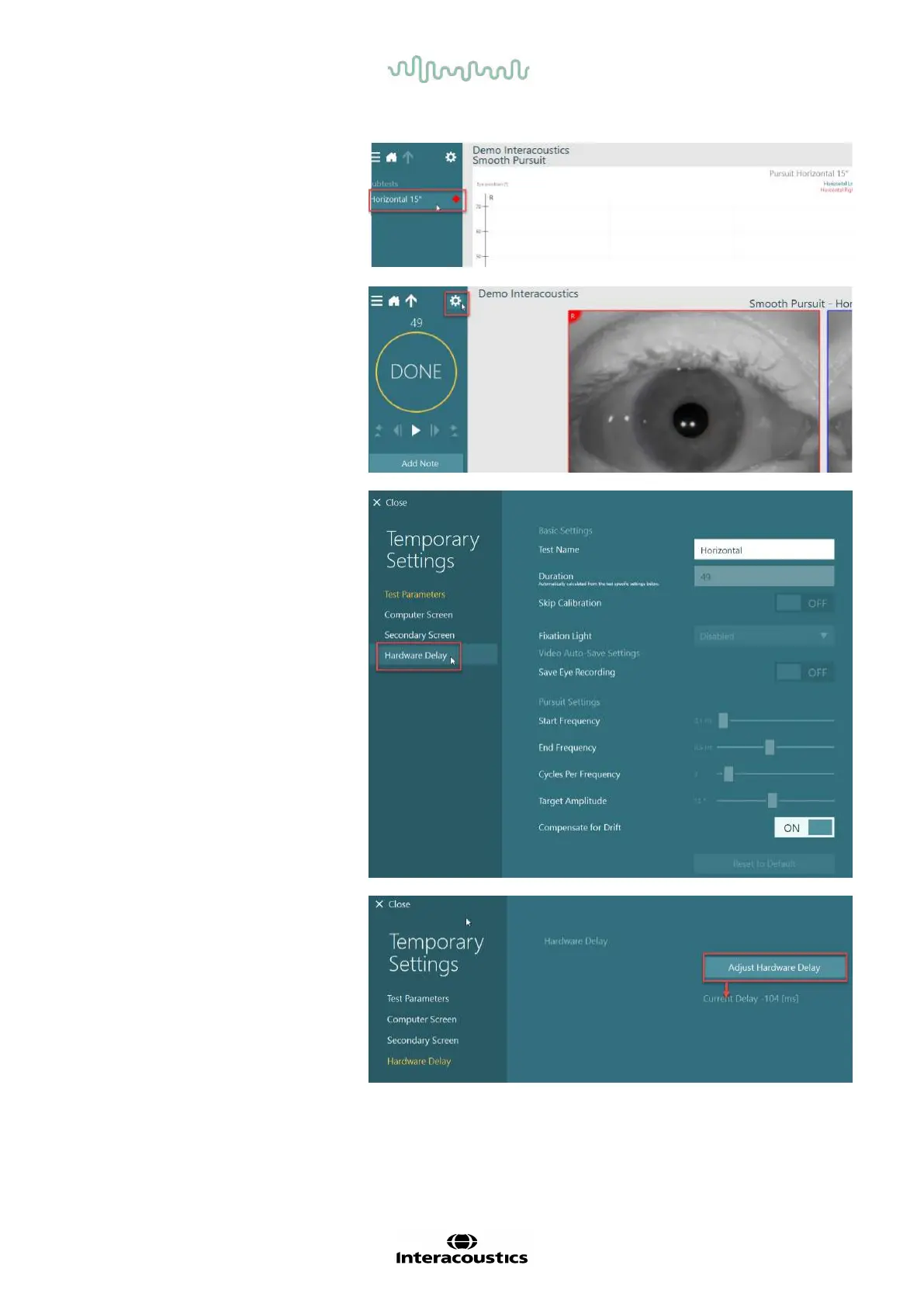
2. After completion of the test,
click on the subtest.
3. Go to Temporary Setup.
4. From Temporary Settings,
click on Hardware Delay in
the left panel.
5. The suggested adjustment
for the hardware delay will
be presented as Current
Delay. Clicking on “Adjust
Hardware Delay” will adjust
the hardware delay value
accordingly.














 To Next Page