D-0134090-A – 2022/11
VisualEyes™ - Instructions for Use - EN Page 92
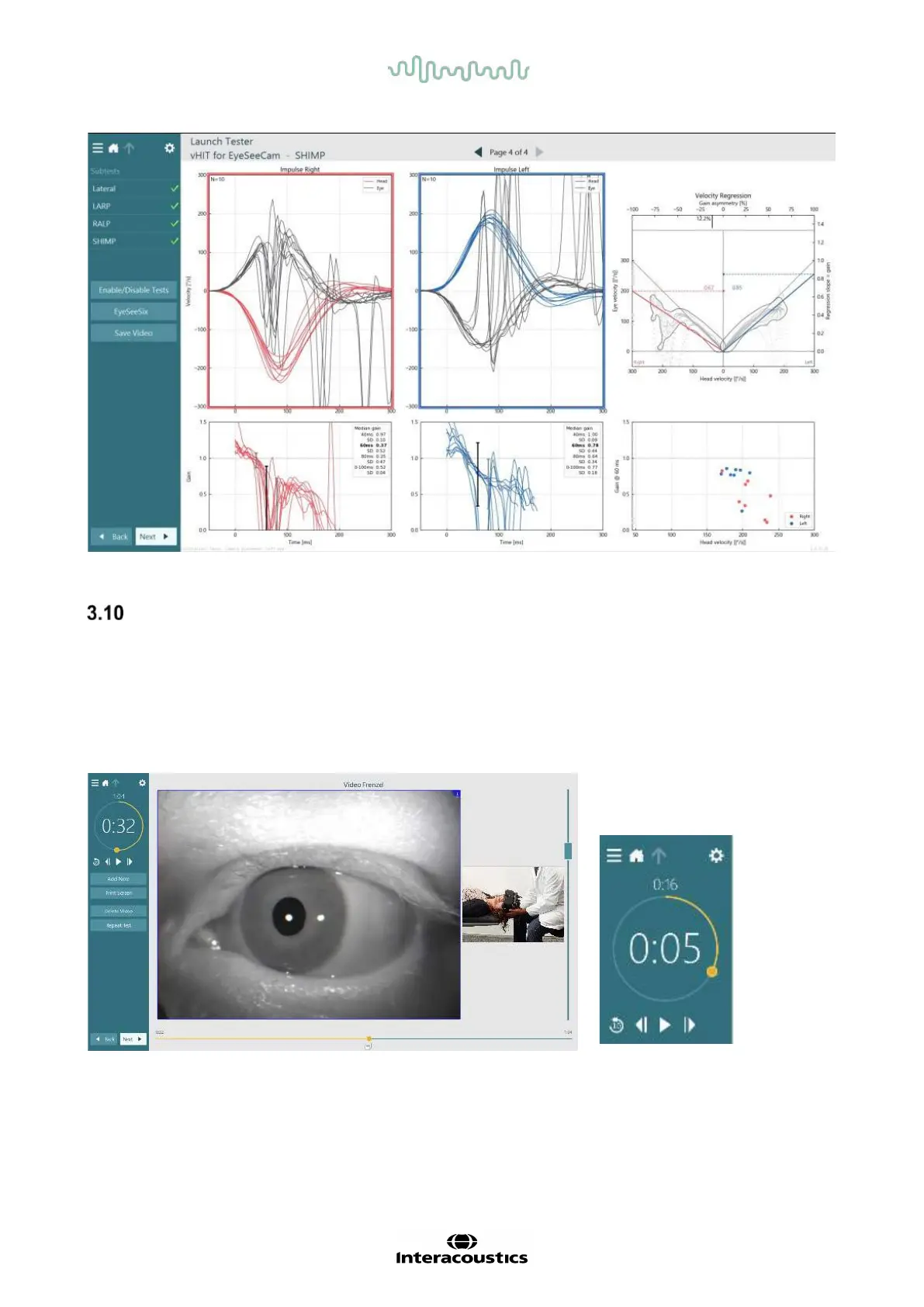
Figure 3.9-13 Result screen for SHIMP test
Test review screen
Once the operator has ended the test, the software will allow the operator to review the patient’s response
during the test. The test review screen (
Figure 3.10-1) contains the playback menu, timeline, and eye and room
video recordings. The eye and room video recordings are played synchronously from the Test Review
screen. The playback will begin by clicking on the play button in the playback menu. As the test plays back, a
yellow circle will show the current position of the video on both the timeline and the playback timer. This
circle can be grabbed or dragged with the mouse to jump to a new location in the video playback. The size
slider is available during the test review, allowing the user to make the eyes or the room camera video larger
dynamically to focus on the selected video during playback.
Figure 3.10-1: Test Review screen














 To Next Page