Optidrive Compact-2 Engineering Guide Issue 07.docx
Control Terminal Connections
8.5. Software Functions
8.5.1. Fire Mode
The Fire Mode function is designed to ensure continuous operation of the drive in emergency conditions until the drive is no longer capable of
sustaining operation. The Fire Mode input may be a normally open (Close to Activate Fire Mode) or Normally Closed (Open to Activate Fire
Mode) according to the setting of P-30 Index 2. In addition, the input may be momentary or maintained type, selected by P-30 Index 3.
This input may be linked to a fire control system to allow maintained operation in emergency conditions, e.g. to clear smoke or maintain air
quality within that building.
The fire mode function is enabled when P-15 = 15, 16 or 17, with Digital Input 3 assigned to activate fire mode.
Fire Mode disables the following protection features in the drive:-
O-t Heat-sink Over-Temperature
U-t Drive Under Temperature
Th-FLt Faulty Thermistor on Heat-sink
E-trip External Trip
4-20 F 4-20mA fault
Ph-Ib Phase Imbalance
P-Loss Input Phase Loss Trip
SC-trp Communications Loss Trip
It-trp Accumulated overload Trip
Out-F Drive output fault, Output stage trip
The following faults will result in a drive trip, auto reset and restart:-
O-Volt Over Voltage on DC Bus
U-Volt Under Voltage on DC Bus
h O-I Fast Over-current Trip
O-I Instantaneous over current on drive output
8.5.2. OEM / User Default Parameters
Optidrive Compact 2 includes an embedded function to allow the user to create their own “default” parameters. This means that if a factory
reset is carried out, the drive will return to these parameters, as opposed to the Invertek Drive factory default parameters.
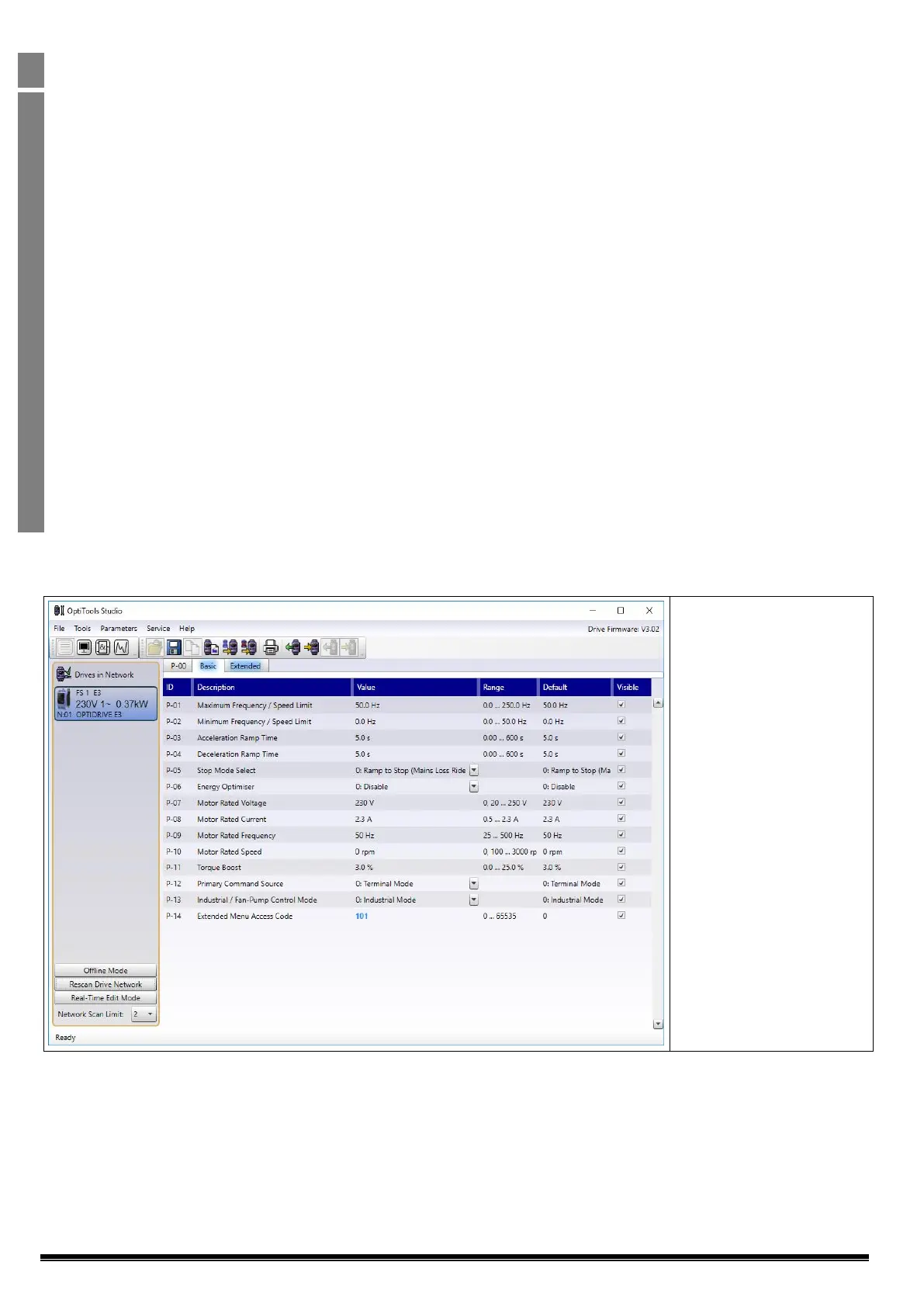
This feature is accessed using Optitools Studio PC software only, which may be freely downloaded from the Invertek Drives website.
Creating the default parameter set
In order to create the User Default settings, the following process should be used.
In Optitools Studio, ensure
communication is established
with the connected drive.


 To Next Page
 Loading...