EasyManua.ls Logo

Invertek Optidrive VTC - Advanced Keypad Operation Short Cuts; Reset All Parameters to Factory Default Settings

Invertek Optidrive VTC
32 pages
Print Icon
To Next Page IconTo Next Page
To Previous Page IconTo Previous Page
Loading...
Optidrive VTC – User Guide
www.invertek.co.uk 13
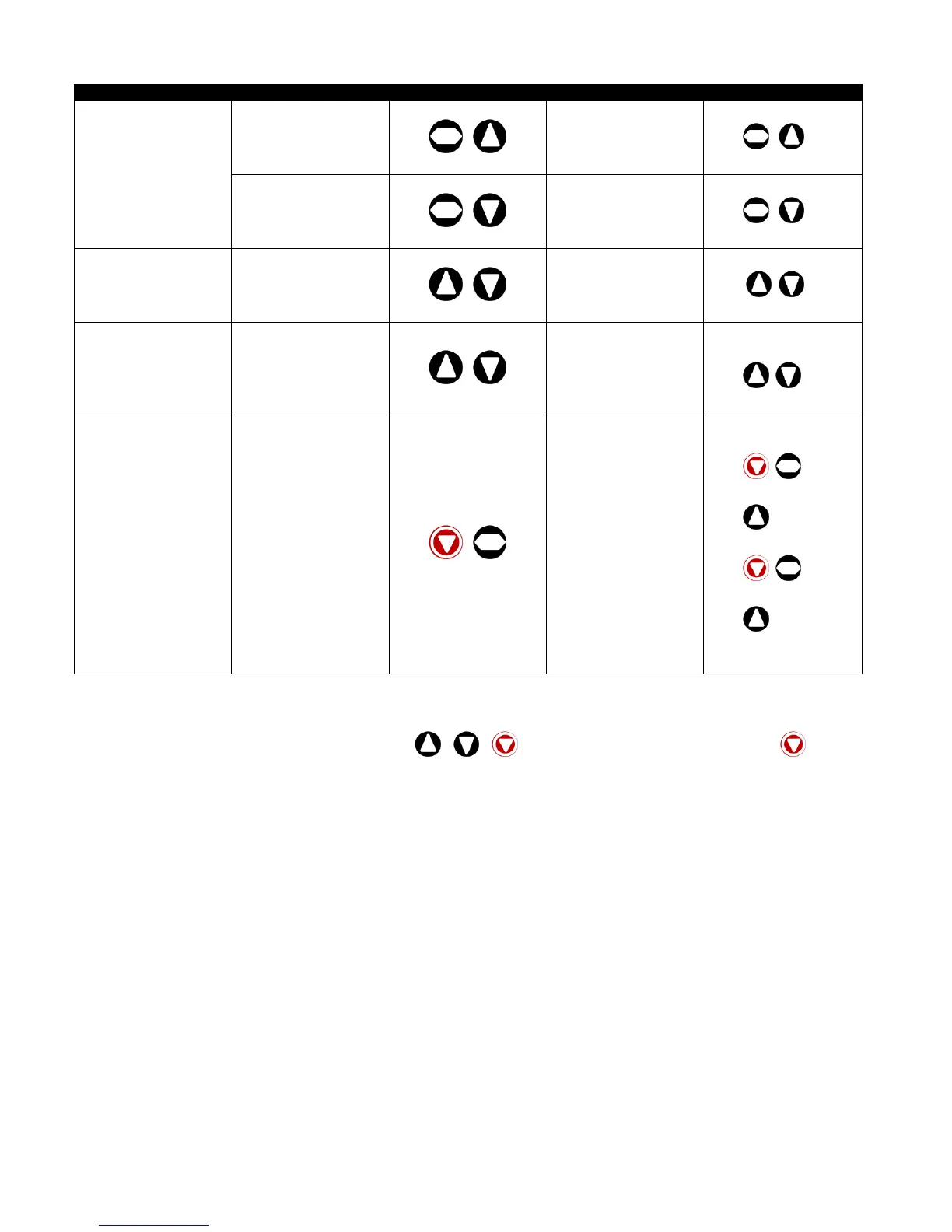
5.3. Advanced Keypad Operation Short Cuts
Function
When Display shows...
Press...
Result
Example
Fast Selection of
Parameter Groups
Note : Parameter Group
Access must be enabled
P1-14 = 101
xxx
+
The next highest
Parameter group is
selected
Display shows 
Press +
Display shows
xxx
+
The next lowest
Parameter group is
selected
Display shows 
Press +
Display shows
Select lowest Group
Parameter
xxx
+
The first parameter of a
group is selected
Display shows 
Press +
Display shows
Set Parameter to
minimum value
Any numerical value
(Whilst editing a
parameter value)
+
The parameter is set to
the minimum value
When editing P1-01
Display shows .
Press +
Display shows.
Adjusting individual digits
within a parameter value
Any numerical value
(Whilst editing a
parameter value)
+
Individual parameter
digits can be adjusted
When editing P1-10
Display shows
Press +
Display shows
Press
Display shows
Press +
Display shows
Press
Display shows
Etc...
5.4. Reset All Parameters to Factory Default Settings
To reset all drive parameters to factory default settings, press + + for >2s. The display shows . Press the button to
acknowledge and reset the drive.