28
SL7D REAR SEAT VIDEO HEADREST SYSTEM Owner’s Manual
DVD PLAYBACK SETTINGS AND ADJUSTMENTS (continued)
PLAYING DEVICES
Media Play Mode Selection
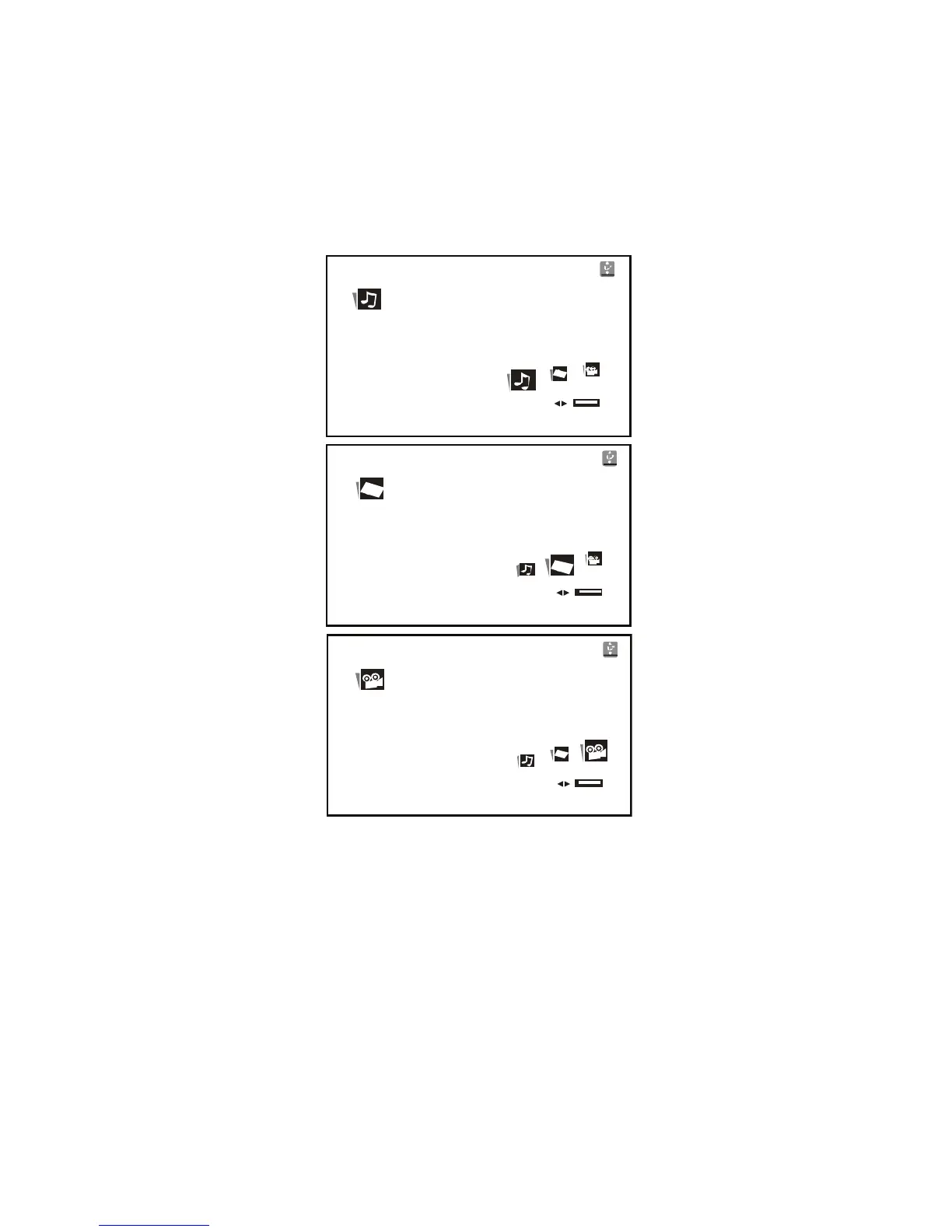
The Media Mode support to the following formats: (Figure 30)
Audio – Audio data format (MP3, WMA)
Photo – Photo data format (JPEG)
Video – Video data format (MPEG I, II)
Playing USB Memory Devices
1� The system will detect the insertion of the USB device automatically if no disc is loaded�
The system only auto detects the rst media inserted (USB drive); the second media
source can be manually selected by pressing the front panel Source (S) button or the
SOURCE button on the remote control�
2� When a disc is inserted, the system will switch to DVD mode immediately regardless
of which type of media (USB) is currently playing�
3� Press the front panel Source (S) button or the SOURCE button on the remote control to
select the device source of input signal from DVD, or USB memory device�
NOTE: The system will default the DVD when the system detects a disc in the DVD player.
The system cannot support more than 2 memory partitions on the USB thumb drive.
AUDIO
Enjoy your Audio in this mode.
PHOTO
Enjoy your picture in this mode.
VIDEO
Enjoy your video in this mode.
Figure 30


 To Next Page