Using the Countess
™
Automated Cell
Counter,
Continued
Using the
Beads Mode
for Counting
Beads
The Countess
™
automated cell counter can also be used to count
beads using the Bead mode of the instrument.
1. Push the Power button to start the instrument. The Start-up
screen is displayed.
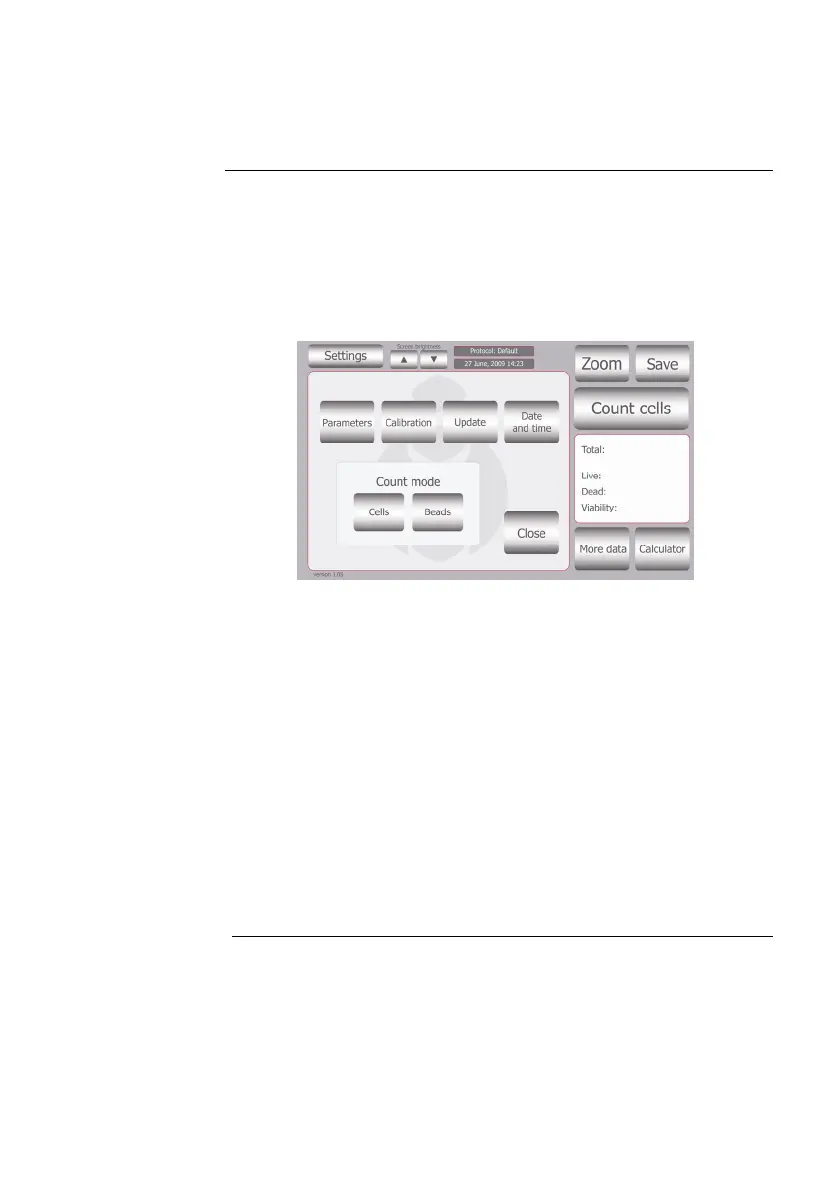
2. Press Settings and then press Beads to place the instrument
into bead counting mode.
3. Add 10 μL of beads to 10 μL supplied trypan blue stain. Mix
gently by pipetting up and down.
4. Add 10 μL of the sample mixture to the chamber ports on one
side of the Countess
™
cell counting chamber slide as shown on
page 10. You can count beads from one chamber or both
chambers.
5. Insert the Countess
™
cell counting chamber slide with beads
into the slide inlet on the instrument as shown on page 11,
ma
king sure that the sample side is inserted completely into
the instrument.
6. Press Count Beads button.
7. Adjust the bead image by pressing the Zoom button. Navigate
the fields by pressing the location you like to see on the grid.
Use the focus knob to adjust the image.
Continued on next page
17



 To Next Page