Virtual-ROM function
14.
35
?
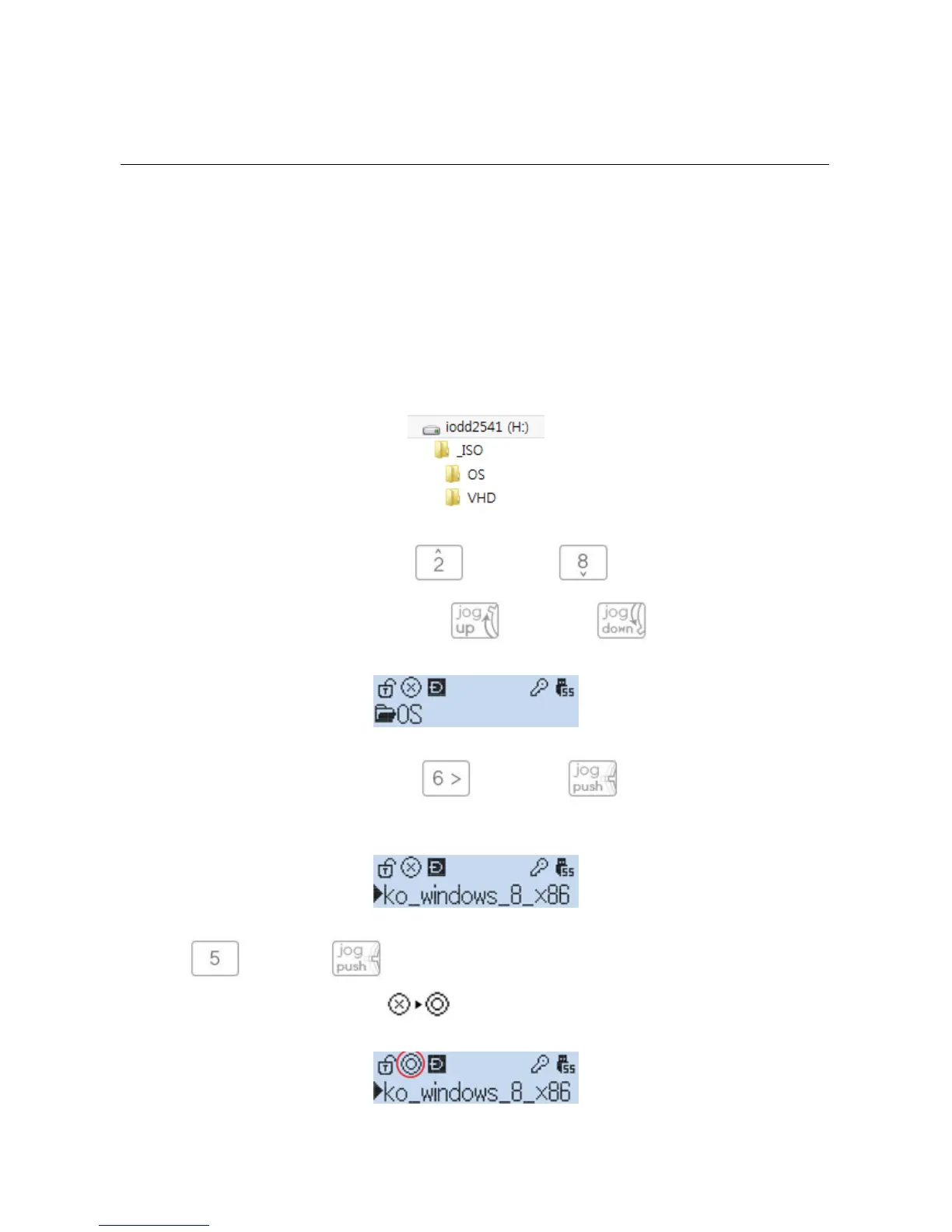
You can create a subfolder in the "_ISO" folder, and manage an ISO or VHD file.
?
You can navigate the file list by pressing (UP) key and (down) key.
?
iodd2531 navigate the file list by control jog-up and jog-down .
?
You may move into a folder by pressing (iodd2531 is ) Once you have navigated to a
folder where the ISO file you are looking for is located
?
press (iodd2531 is ) on the ISO file and it will begin to load. This will be indicated by a
change of the icon to a loading icon.



 To Next Page