Changing the Mode
16.
39
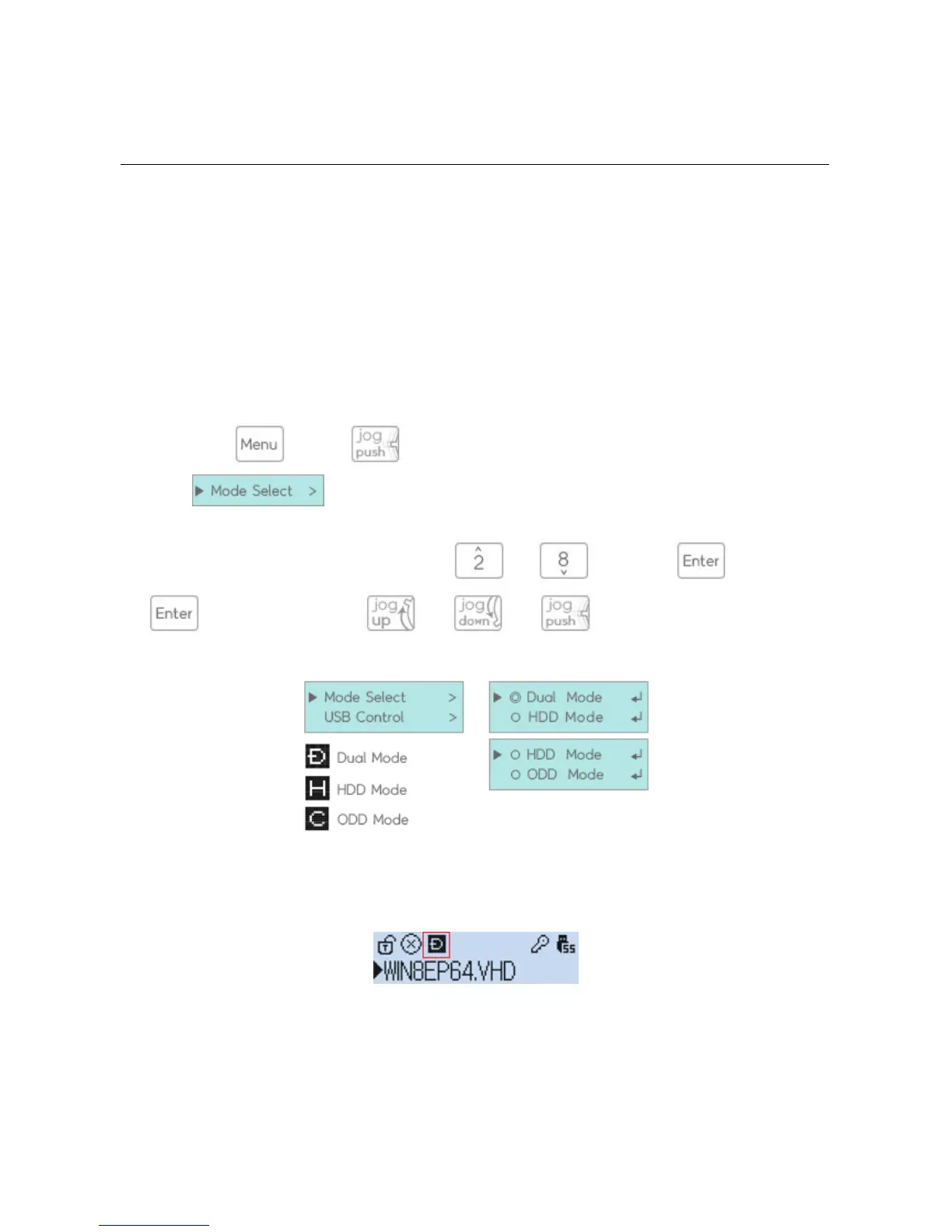
Iodd provides three modes of smooth booting.
?
Pressing the (2531 is while 3 seconds) key will bring up a menu in which the first option
will be
?
You can select a mode by moving to it using and and pressin After pressing
(2531 is moving it using and and )
?
the USB connection will be reconnected and the mode will be changed to the desired mode.
?
You can view the current mode setting at the top of the LCD screen.



 To Next Page