Tiger PC software
11.7 eV lamps may not strike/illuminate first time and result in a ‘lamp fail’ alarm on the TIGER instrument,
particularly if the lamps are unused for an extended period. If the TIGER instrument raises a lamp fail alarm
please switch the instrument off and then switch on again. Several start cycles may be required.
11.7 eV lamps have a relatively short life partly due to the type of lamp window material. Prolonged
exposure to airborne moisture slowly degrades the lamp window. Therefore the lamps should be removed
from the TIGER and stored in their desiccated vial when not in use.
11.7 eV lamps have quite different characteristics to the standard 10.6 eV lamps.
In applications where the detected gas levels are expected to be below 100 ppm then only a two point
calibration (Zero and 100 ppm IE) is necessary however in
applications that require measurement above 100 ppm (IE)
a three point calibration (Zero, 100 ppm and 1,000 ppm IE)
should be carried out.
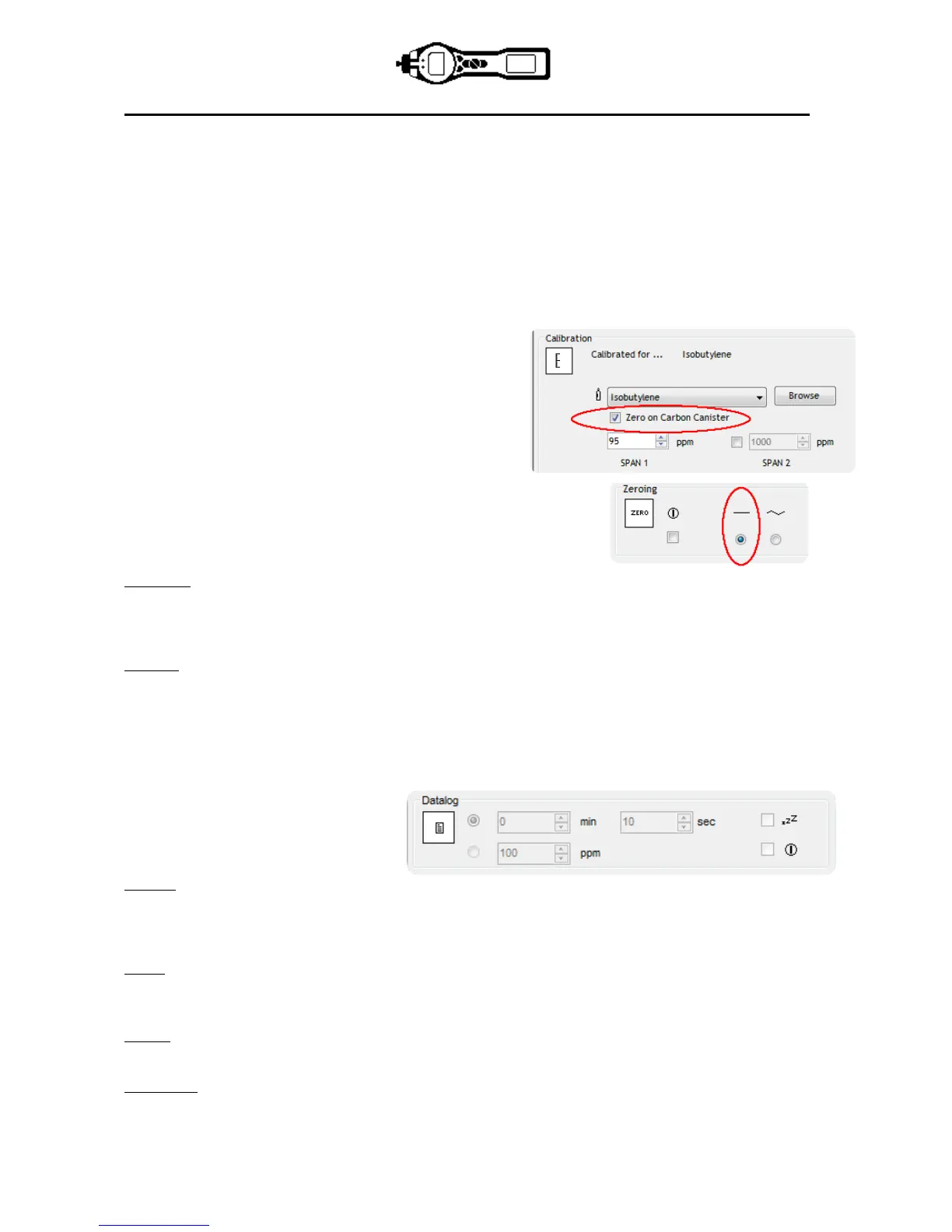
When setting up the custom calibration on TIGER PC’s
configuration screen select the ‘Zero on Carbon Canister’
option, this will ensure a near zero reading after calibration.
The fixed zero option should also be selected on the
configuration screen, do not select ‘Zero at switch on’.
Soft Menu
Functions on the Tiger instrument can be configured to either the A or B button’s by dragging and dropping
the functions into either the A or B areas on the configuration screen. Alternatively, they can be moved to the
‘Neither’ area if not required. Features in the ‘Neither’ area do not appear on the instrument.
Data log
Interval: Use this area to set the interval between readings, the minimum time permitted is one second.
Sleep: When the interval between data log is >2 minutes the sleep (zZZ) function becomes available. When
selected, the instrument will sleep between logs therefore preserves battery life.
ppm: By selecting ‘ppm’ the instrument starts data logging at a 1 second interval for as long as the ppm gas
level is exceeded.
On/off: The instrument starts data logging
when the instrument is switched on.
Log Full
If you select the bell symbol your TIGER will alarm when the memory log is full. Alternatively, if you wish
new data to overwrite the oldest stored data in the memory and continue to store new data during data-
logging, select the recycle symbol.
Zones
Use this table to define and name up to 128 separate zones. The name field is limited to eight characters
including spaces.
Vibrate
To set your TIGER to vibrate under alarm conditions select the ‘vibrate’ symbol.
TWA STEL
Select the appropriate regulatory code to which you are working.


 To Next Page