TIGER MANUAL Ion Science Ltd
Page 21 of 45
Unrivalled Detection. www.ionscience.com
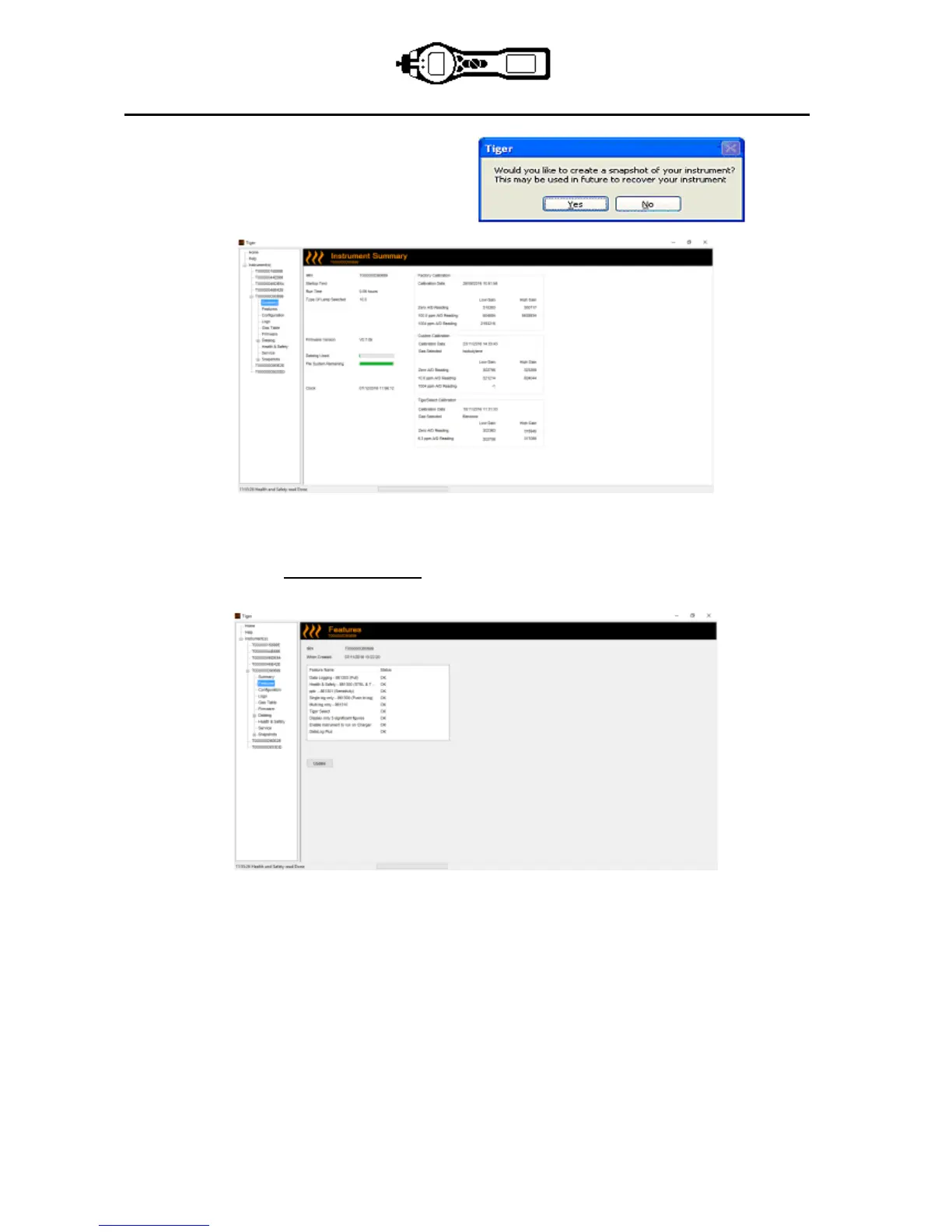
5. This page gives the current status of your
TIGER. If the ‘snapshot’ screen appears
click ‘Yes’. You can delete the snapshot later
if you wish (see ’TIGER PC Software’).
The Features Screen
The ‘Features’ screen indicates which of the available updates has been added to your TIGER. Should you
wish to purchase additional features, contact Ion Science Ltd or your Distributor. Some updates may be
available on the website www.ionscience.com. Once the transaction is complete and confirmed, click on
Update to add the relevant features to your TIGER.



 To Next Page