Batteries
Replacement / Exchange of Battery Packs
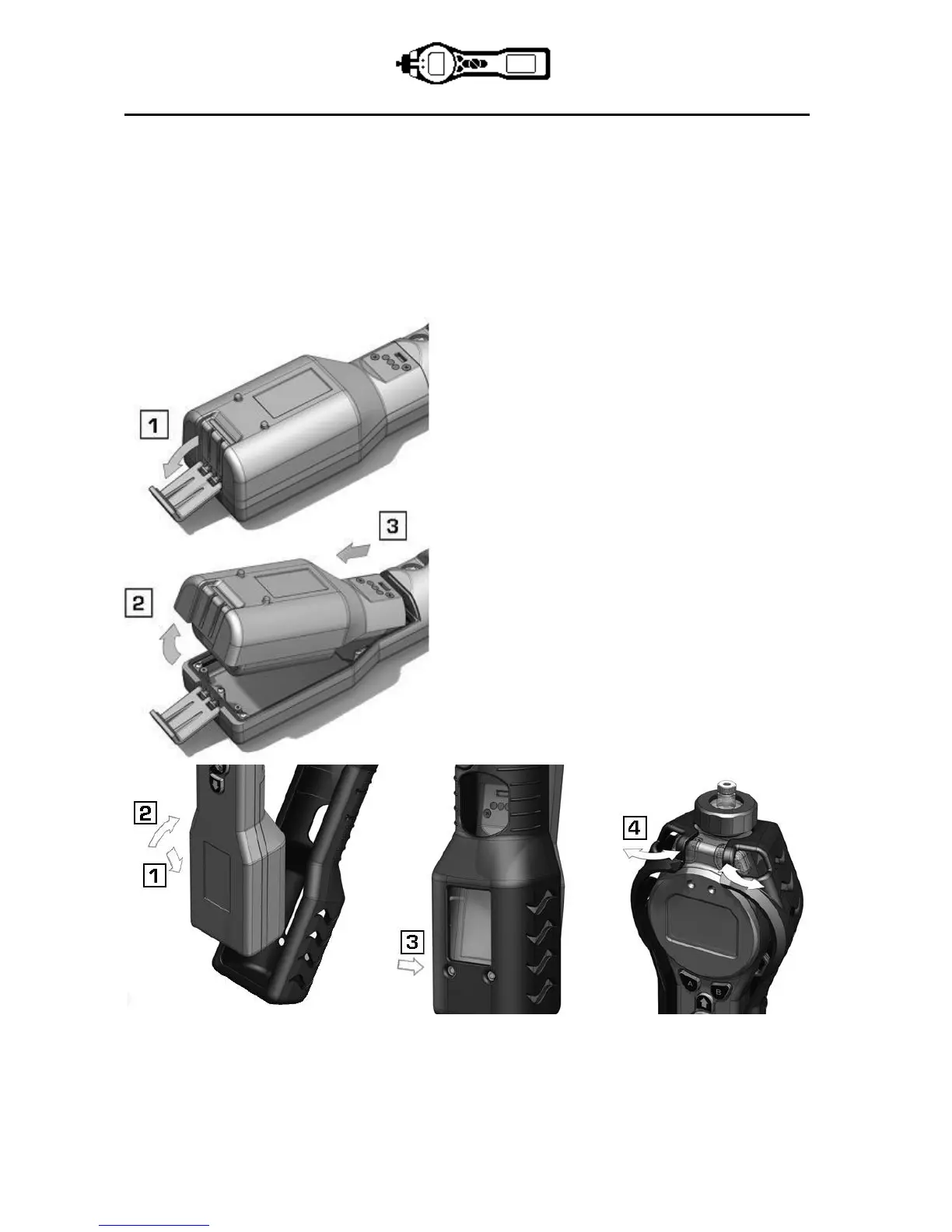
To replace the Rechargeable Battery Pack (A2), proceed as follows:
a. Ensure TIGER is switched Off;
b. Remove the Instrument Boot (8) from your TIGER (this is most easily achieved by starting at the front
end of the instrument (step 4 below));
c. Release the clip at the rear end of the instrument and lift the Rechargeable Battery Pack (A2) away
from the Instrument Body (A1), coincidently sliding it slightly backwards;
d. Reverse the procedure to install the replacement
battery pack ensuring that the Boot is a snug fit
around the front of the instrument and the lights are
not obscured;
e. Charge the TIGER for 7 hours before use.


 To Next Page