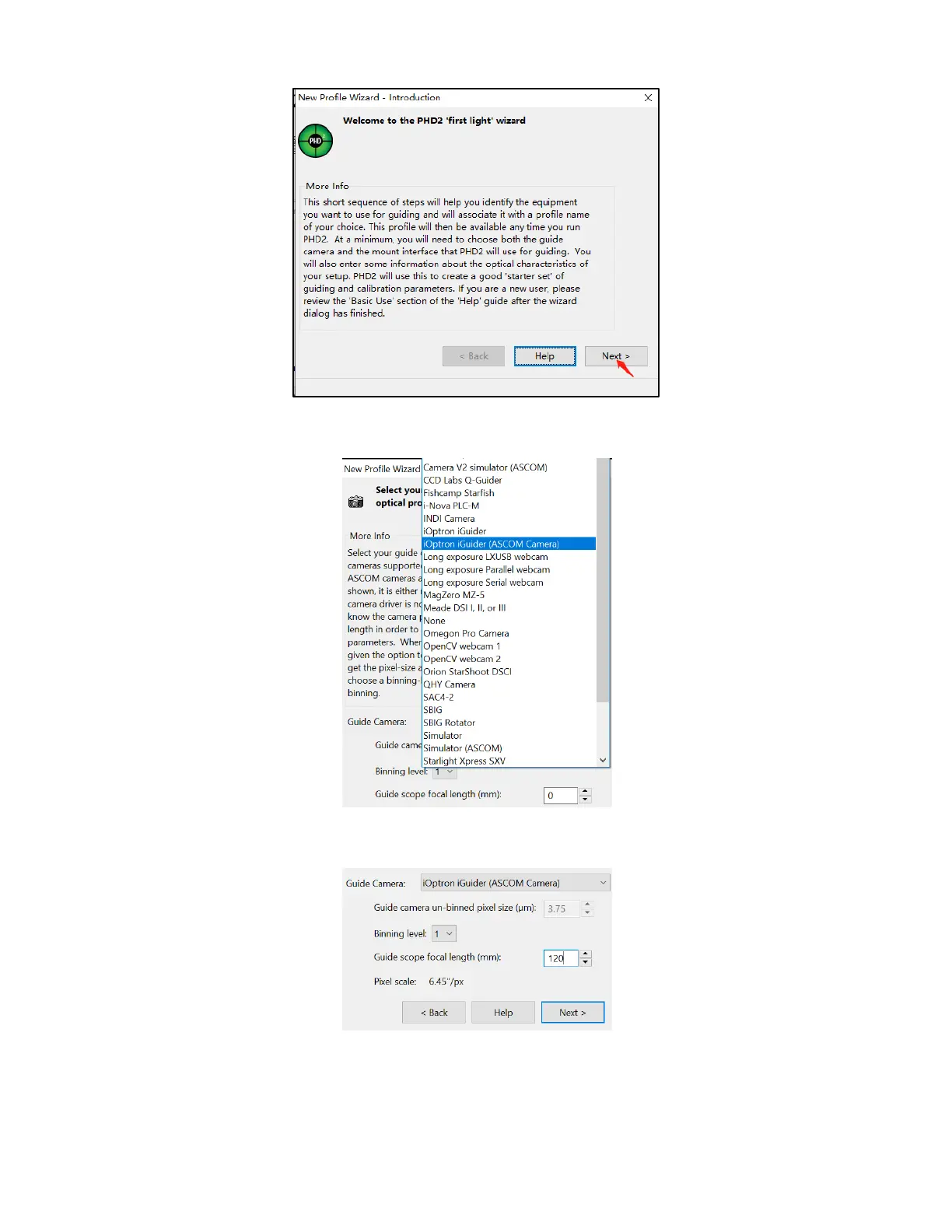
Start the PHD2 to start New Profile Wizard:
Click on Next. Select “iOptron iGuider (ASCOM Camera)” from the camera selection
menu.
PHD2 will fill the pixel size (3.75um) automatically, if the camera is connected to the
computer Enter 120mm into guide scope focal length tab, and click Next.
If the program displays the following error, please exit “iOptron iPolar” software.



 To Next Page