ioSafe Duo User Manual
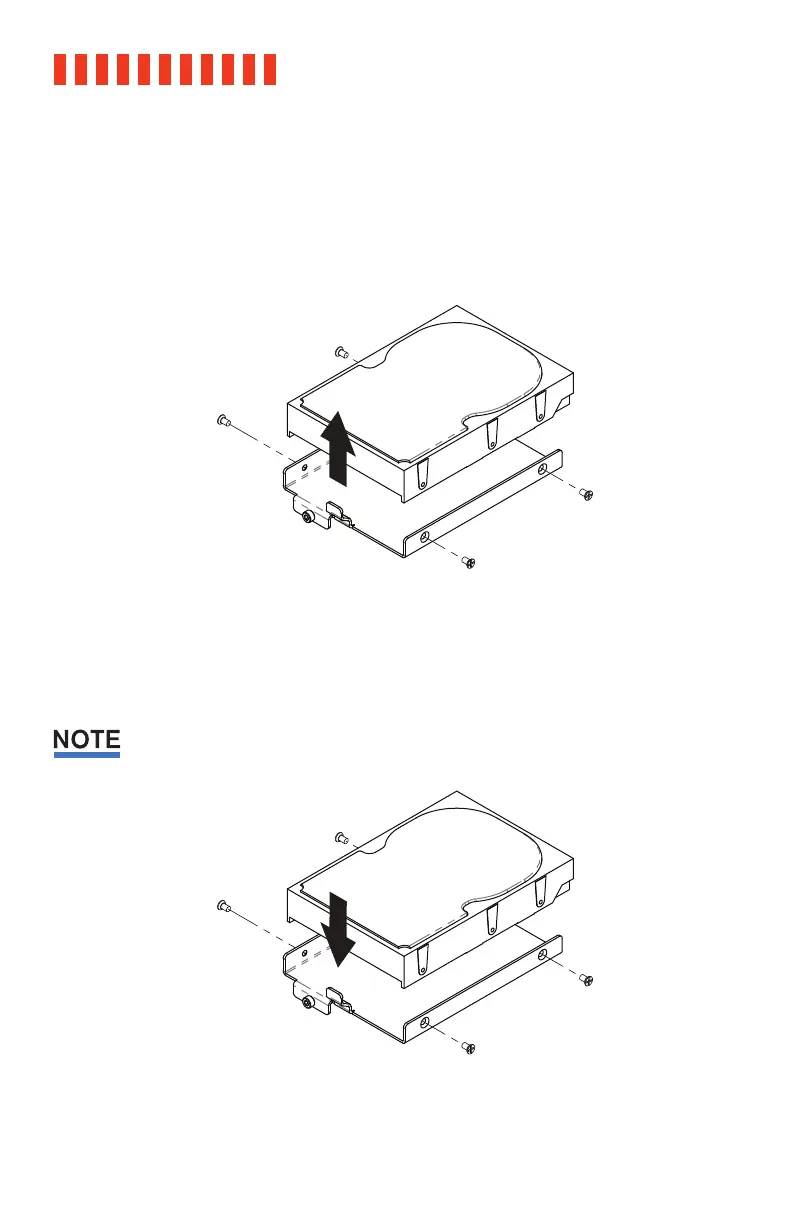
d. If you are removing a previously installed hard drive(s), remove the drive(s) from the
drive tray by removing the four (4) drive screws holding it into the tray with a Phillips
screwdriver.
Otherwise, skip this step.
e. Install a compatible drive into each drive tray using the supplied four (4) drive screws
and a Phillips screwdriver. Please visit iosafe.com for a list of qualified drive models.
Since you’ll likely be using this as part of a RAID array, ioSafe recommends that both installed
drives should have the same capacity.
10



 To Next Page