ioSafe Duo User Manual 33
6 Troubleshooting
My ioSafe Duo will not show up on my Windows computer and causes it to make
repeating disconnection sounds.
If you have properly connected your ioSafe Duo to your Windows computer and turned it on,
try turning off the ioSafe Duo and connecting it to a different USB port.
If that is unsuccessful, then you have likedly connected the ioSafe Duo to a USB port on your
computer that uses what’s known as an ASMedia™ USB host controller, which will need dif-
ferent driver software to work correctly with the ioSafe Duo.
Follow these simple steps to change the driver.
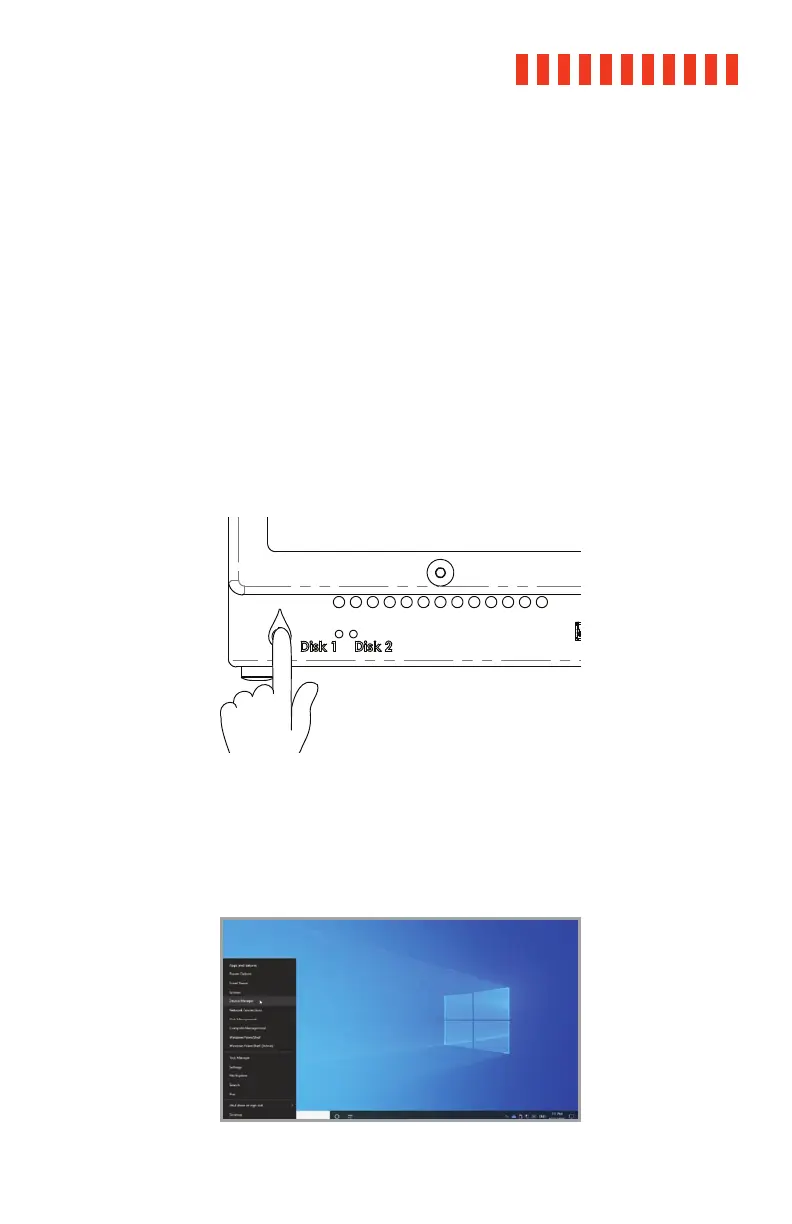
a. Power off the ioSafe Duo.
b. Press Windows Key + X on your keyboard and click on Device Manager from the menu
that pops up from the bottom-left corner of the screen.
The Quick Access Menu, pictured, allows you to access
the Device Manager.



 To Next Page