ioSafe Duo User Manual
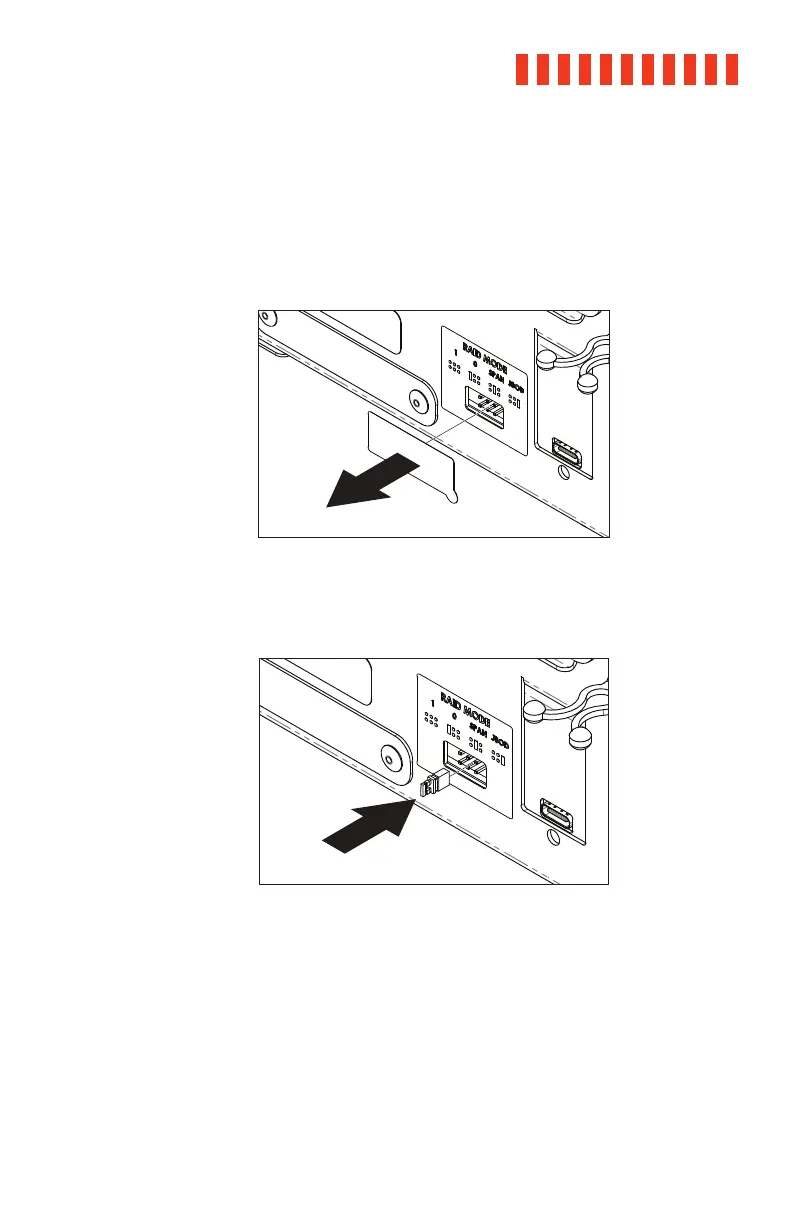
2.3.2 Selecting the RAID Mode
a. Power off the ioSafe Duo.
b. Peel away the RAID Jumper Pin Cover sticker located on the rear of the ioSafe
Duo.
c. Insert the included jumper onto the appropriate jumper pins according to your
desired RAID mode, which is indicated on the legend above the jumper pins.
17



 To Next Page