ioSafe Duo User Manual
2.2 Connecting the ioSafe Duo
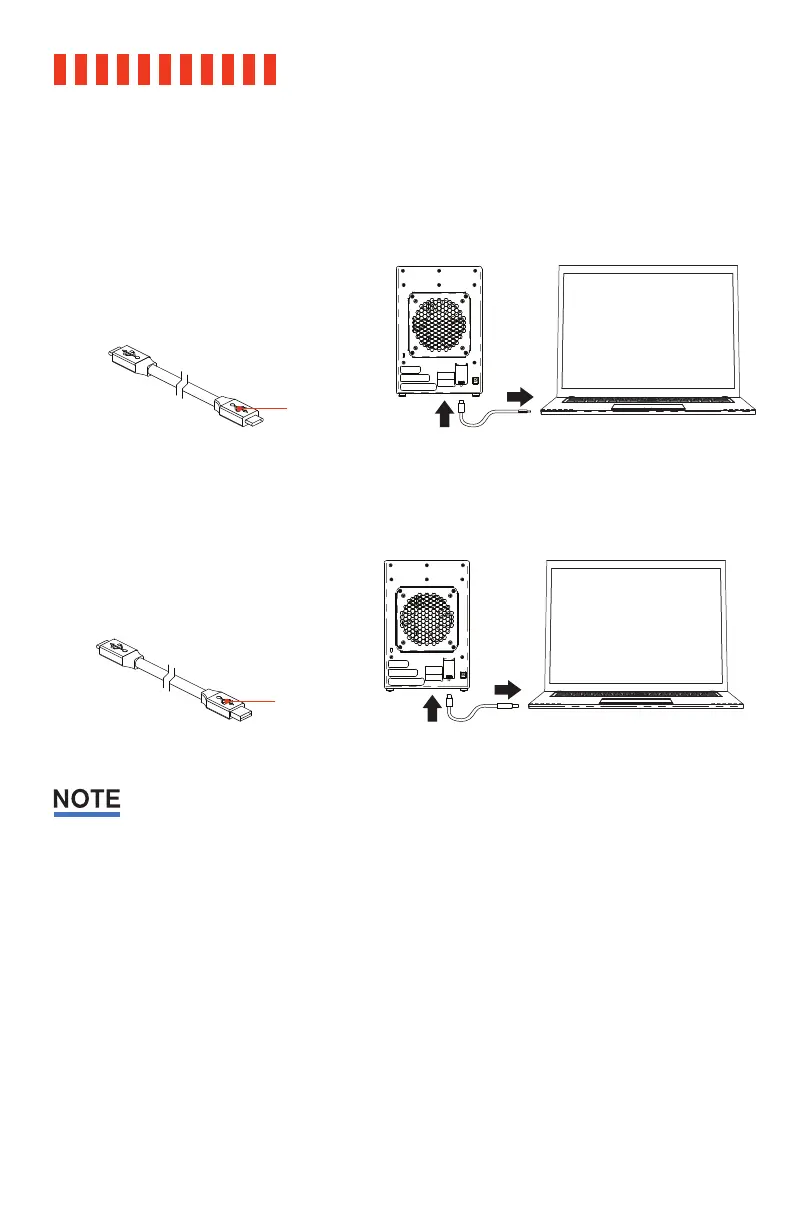
a. Connect the ioSafe Duo to your computer using one of the provided USB cables.
USB Type-C Cable
For the fastest performance, connect
the Duo to a USB 3.2 Gen 2 Type-C
port on your computer.
USB Type-C to A Cable
The Duo also runs on USB 3.x and
2.0 Type-A ports.
The cables that come in the box have been optimized for performance. Longer cables or third-
party cables may not work or only work intermittently.
14
USB Type-A
Connector
USB Type-C
Connector



 To Next Page