ioSafe Duo User Manual 3
1 General Information
1.1 Introduction
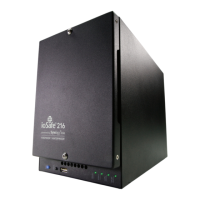
Congratulations on the purchase of your fireproof and waterproof ioSafe Duo! The Duo is
ideal for making sure your data is fully protected—from fire, water (floods and plumbing
breaks, for example), and even hard drive failure. The ioSafe Duo contains two hard drives
that are configured so that two copies of your work are automatically created.
This User Manual will show you how to properly set up an ioSafe Duo, from installing your
own drives, to customizing your RAID configuration, to using it with Windows and macOS oper-
ating systems. You will also learn how replace a failed drive, the unit’s system fan, and verify
a RAID array using Windows.
1.2 Activate Warranty and Data Recovery Service Protection
Please make sure you register your product to ensure you receive notices of product updates
and are fully protected by our hardware warranty and Data Recovery Service (if applicable).
Register your product to activate your Data Recovery Service protection plan and warranty by
visiting iosafe.com/activate.



 To Next Page