ioSafe Duo User Manual26
5 Hardware Maintenance
5.1 Verify RAID Creation in Windows
You can verify that the RAID was created correctly by following these steps:
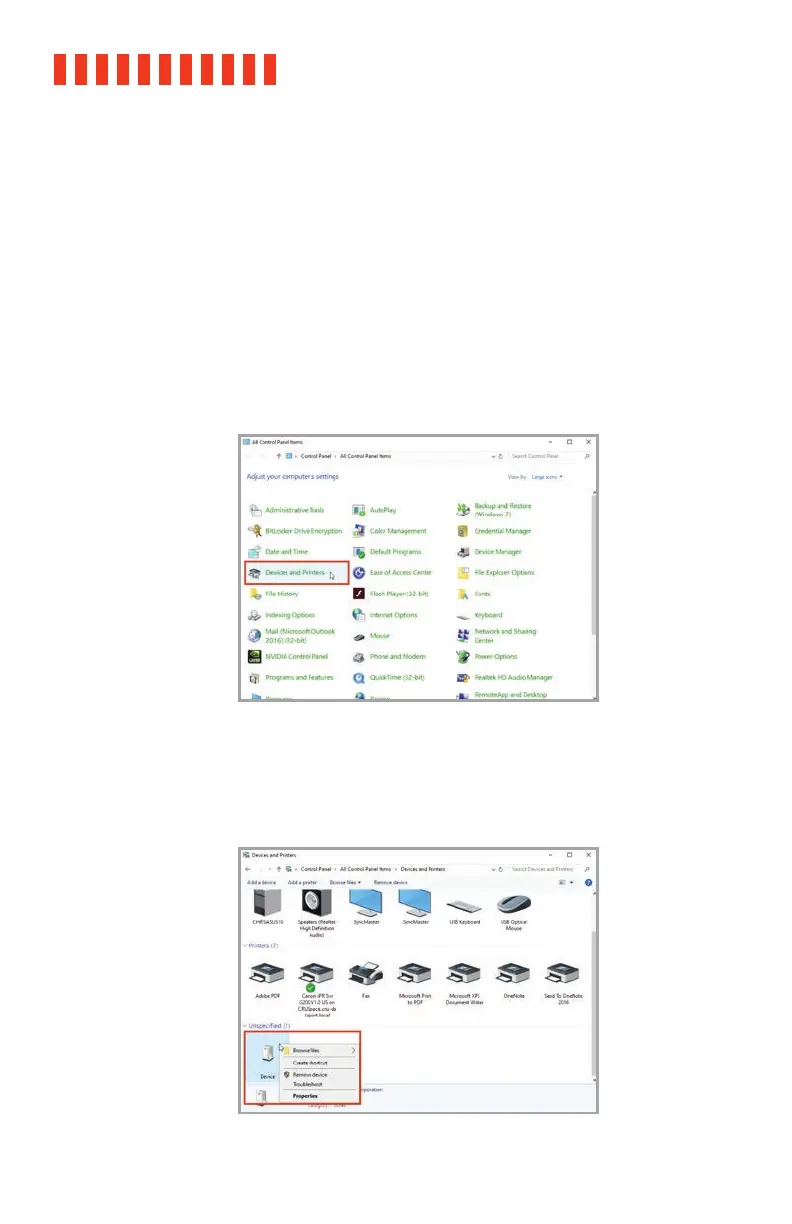
a. In Windows, go to Control Panel → Devices and Printers. In Windows 10, you can find the
Control Panel by typing “Control Panel” into the taskbar search field and selecting the
Control Panel app in the results listing.
If your Control Panel is sorted by category, then “Devices and Printers” can be found in the
“Hardware and Sound” category.
The Control Panel, sorted by Large Icon view.
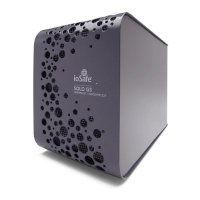
b. Right click on the ioSafe Duo device and select Properties. It may be categorized under
the “Unspecified” category and named “Device”.
Right-clicking on the ioSafe Duo device in “Devices and
Printers”.



 To Next Page