30
4. 802.1Q VLAN
Tagged VLAN
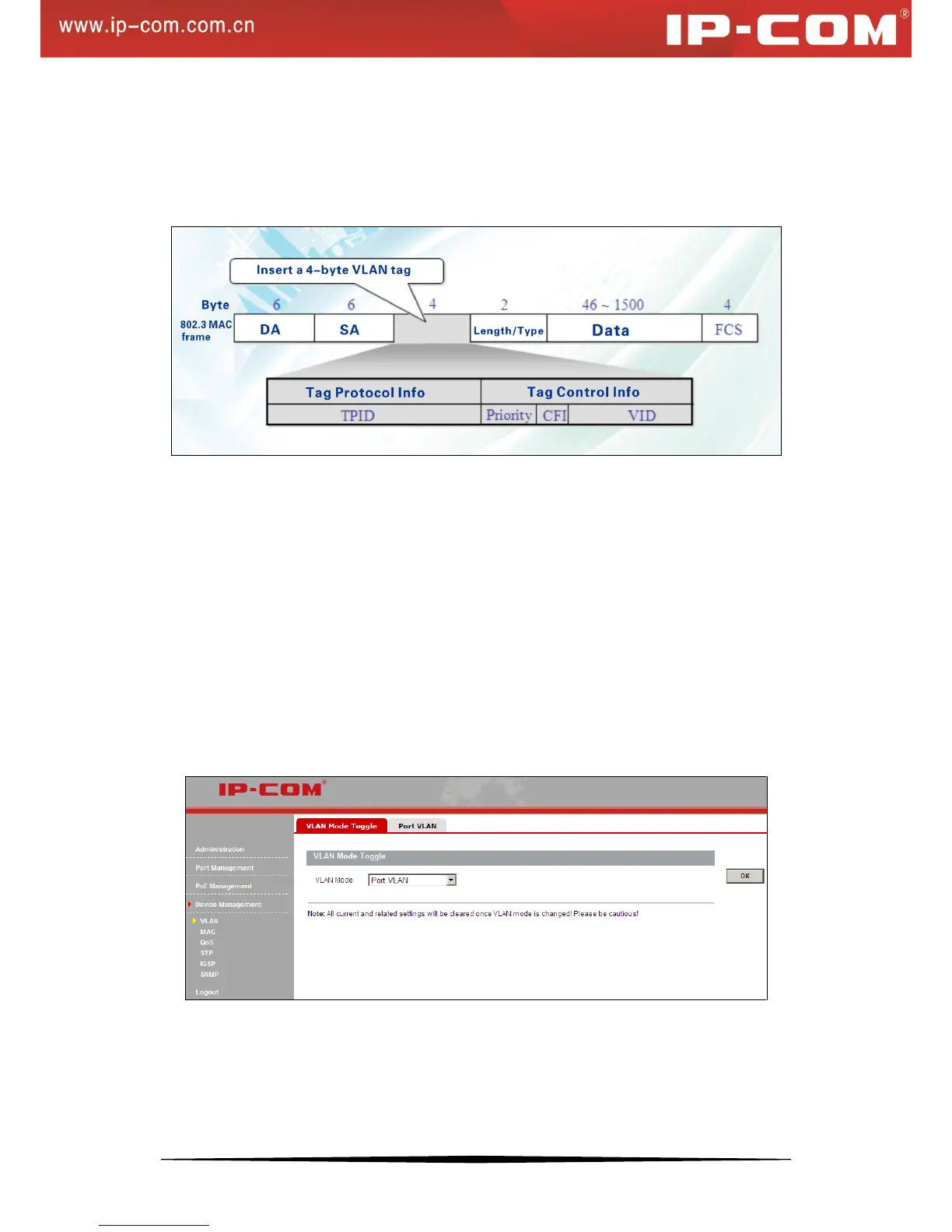
As defined in IEEE 802.1Q, a four-byte VLAN tag is inserted after the DA&SA field to identify frames of different
VLANs.
TPID: The 16-bit TPID field with a value of 0x8100 indicates that the frame is VLAN-tagged.
Priority: The 3-bit priority field indicates the 802.1p priority of the frame.
CFI: The 1-bit CFI field specifies whether the MAC addresses are encapsulated in the standard format. A value of
0 indicates that MAC addresses are encapsulated in the standard format. A value of 1 indicates that MAC addresses
are encapsulated in a non-standard format. For Ethernet switches, it is advisable to set this value to 0.
VID: The 12-bit VLAN ID field identifies the VLAN that the frame belongs to. The VLAN ID range is 0 to 4095.
Because 0 and 4095 are reserved, a VLAN ID actually ranges from 1 to 4094.
5. VLAN Mode Toggle
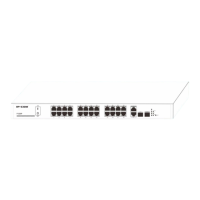
You can toggle between port VLAN and 802.1Q VLAN. Note that related settings like MAC address table entries
will be removed when you change the VLAN mode.
To enter the screen below, click Device Management > VLAN > VLAN Mode Toggle.
To switch to 802.1Q VLAN:
Select 802.1Q VLAN and click OK. The default VLAN mode is port based VLAN.


 To Next Page