31
6. Port VLAN Configuration
Here you can configure port VLAN settings. A port can join multiple port VLANs. Up to 26 VLANs can be
configured.
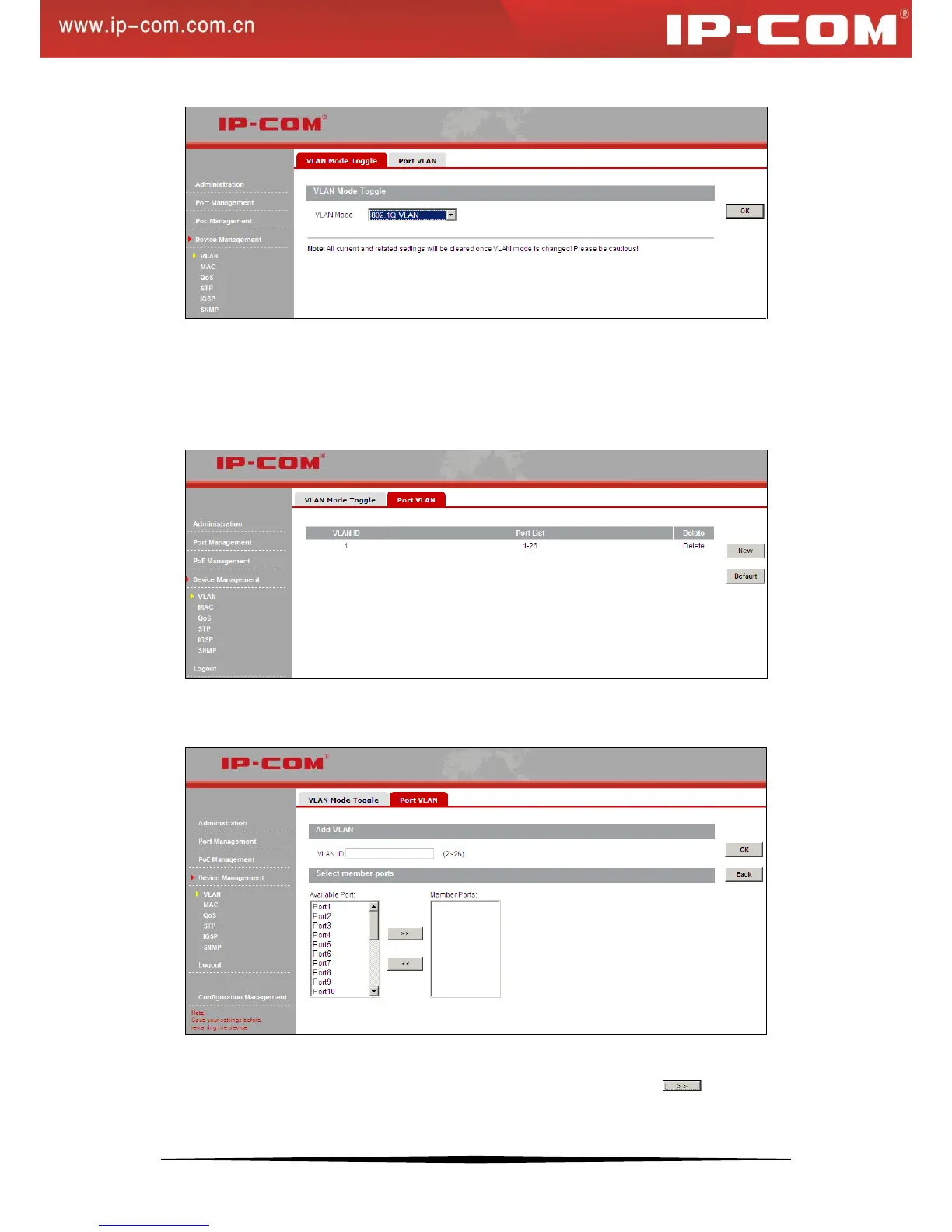
In port VLAN mode, click Device Management > VLAN > Port VLAN to enter the Port VLAN screen below:
To add a port VLAN, do as follows:
1) Click New to enter the screen below:
2) Specify a VLAN ID between 2~26.
3) Select the ports you wish to add to the VLAN from Available Port box and click to move them to the
Member Ports box. You can press the Ctrl key or Shift key on your keyboard to select multiple ports


 To Next Page