32
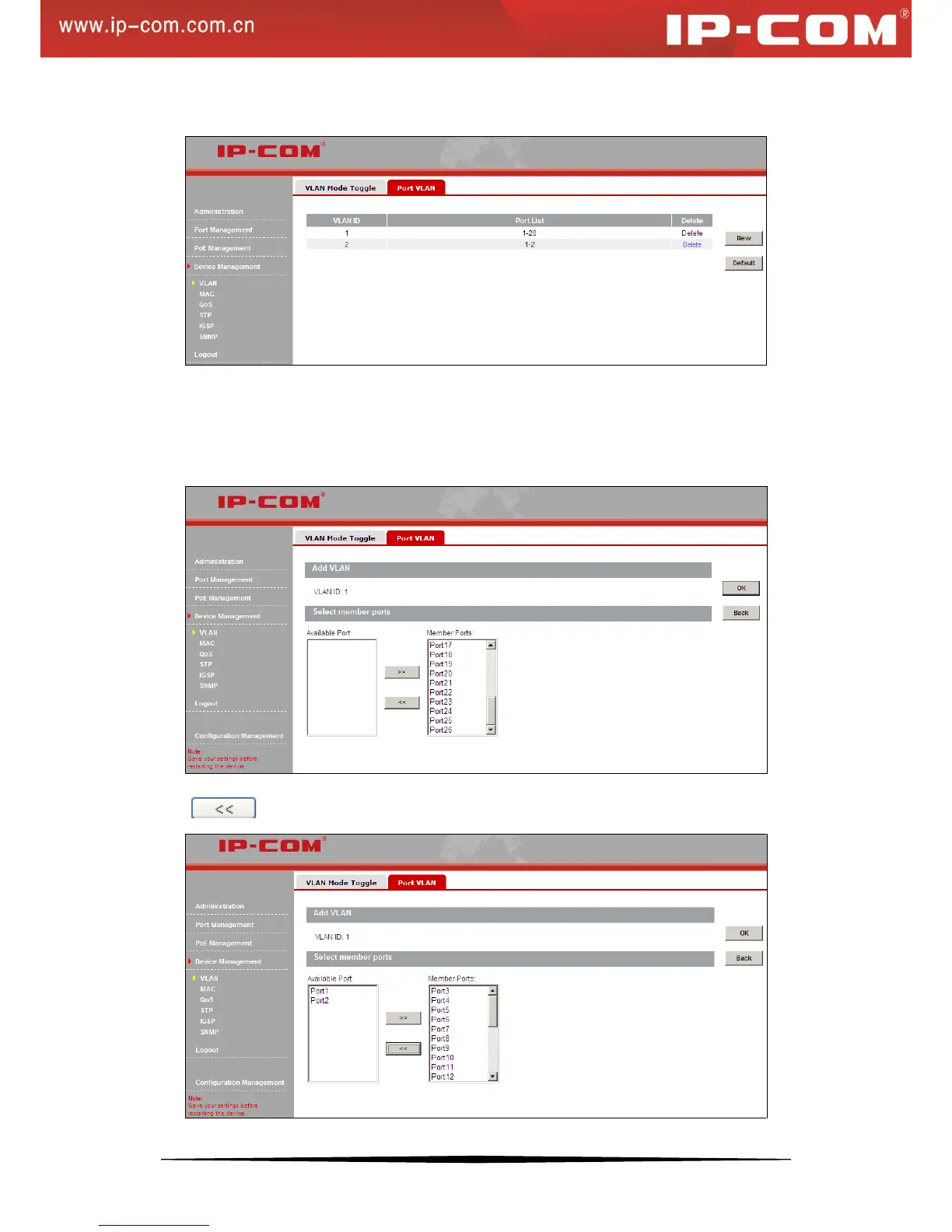
4) Click OK and a screen similar to the below will appear.
To change port VLAN members
As seen on the screen above, port 1 and port 2 are also included in VLAN1. To isolate them from other ports,
follow instructions below to remove them from VLAN 1.
1) Click VLAN1 to enter the screen below:
2) Click to move them back to the Available Port box.


 To Next Page