33
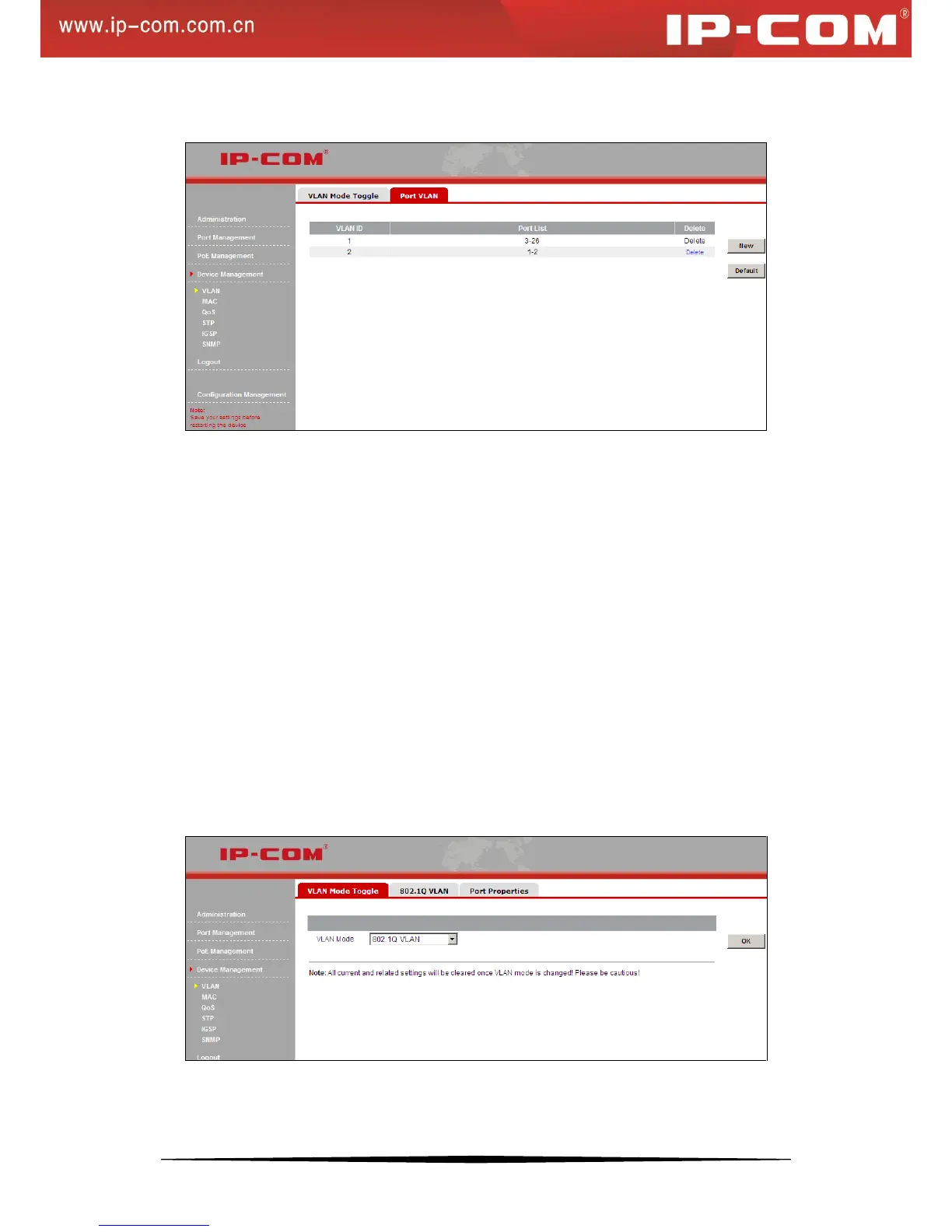
3) Click OK and you will see the screen below (port 1 and port 2 are no longer included in VLAN1):
To remove an existing VLAN
To remove an existing VLAN, simply click the Delete button next to the existing VLAN ID you wish to remove.
Note that the default VLAN1 cannot be deleted.
By default, all member ports will return to VLAN1 when an existing VLAN is deleted.
Important:
Up to 26 port VLANs can be configured.
A new VLAN must include at least one member port.
A member port must belong to at least one VLAN.
A port that no longer belongs to any VLAN after the VLAN it belonged to is removed will automatically return to
the default VLAN1.
Port based VLAN cannot implement inter-switch isolation or provide segmentation services across different
switches.
7. 802.1Q VLAN Configurations
To enter the screen below, click Device Management > VLAN > 802.1Q VLAN.
To add a QVLAN, do as follows:
1) Click New to enter below screen:


 To Next Page