How to Check for Software Updates
IPA
®
will periodically update the software for the Alpha MUTT
®
tablet to increase functionality. While we
try to always send out testers with the most up-to-date version of software, it is good practice to check
for updates before you begin using the tester. To access any Alpha MUTT
®
updates, please visit
http://updates.ipatools.com and register an account.
There are 3 options for updating the IPA
®
Diagnostic
Software Suite on your rugged tablet:
Email to Tablet
(Requires email account on tablet)
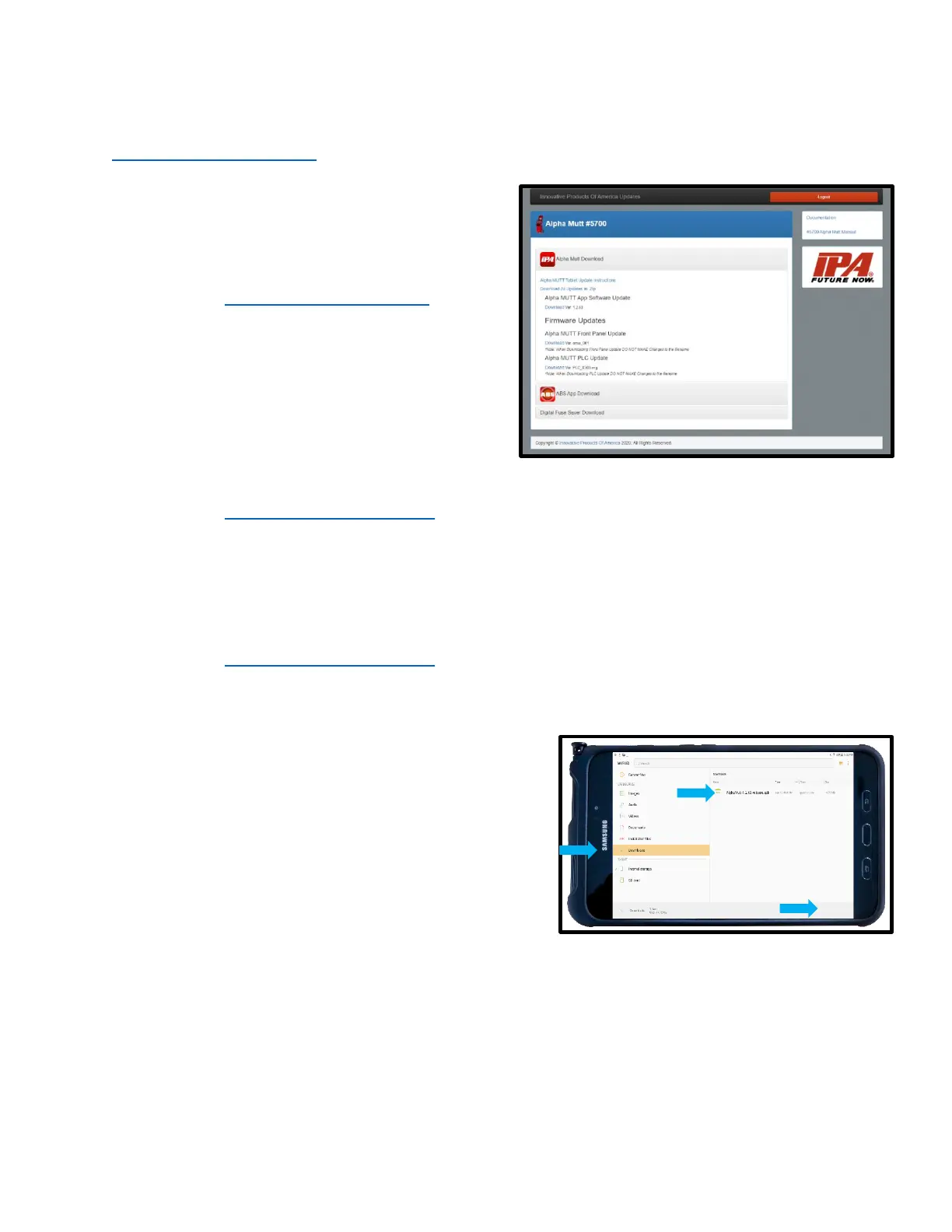
• Log in to http://updates.ipatools.com
• Click download for either the Alpha MUTT
®
app update or ABS app update as required.
• Once downloaded, email the app update file to
the account set up on your tablet.
• Download the app update file from your email
to your tablet.
Computer to Tablet:
• Log in to http://updates.ipatools.com.
• Click download for either the Alpha MUTT
®
app update or ABS app update as required.
• Once downloaded, connect your tablet to your computer via the tablet’s USB cable to upload the
app update directly to your tablet.
Direct to Tablet:
• Log in to http://updates.ipatools.com.
• Click download for either the Alpha MUTT
®
app update or ABS app update as required.
Once downloaded to the tablet, the app can be updated:
• Select the “My Files” app on tablet.
• Scroll down on the left side of the screen to
“Downloads”.
• Click the recently downloaded file (it will end
in .apk).
• Choose “install” in the bottom right corner.



 To Next Page