PART 6: BLUETOOTH
®
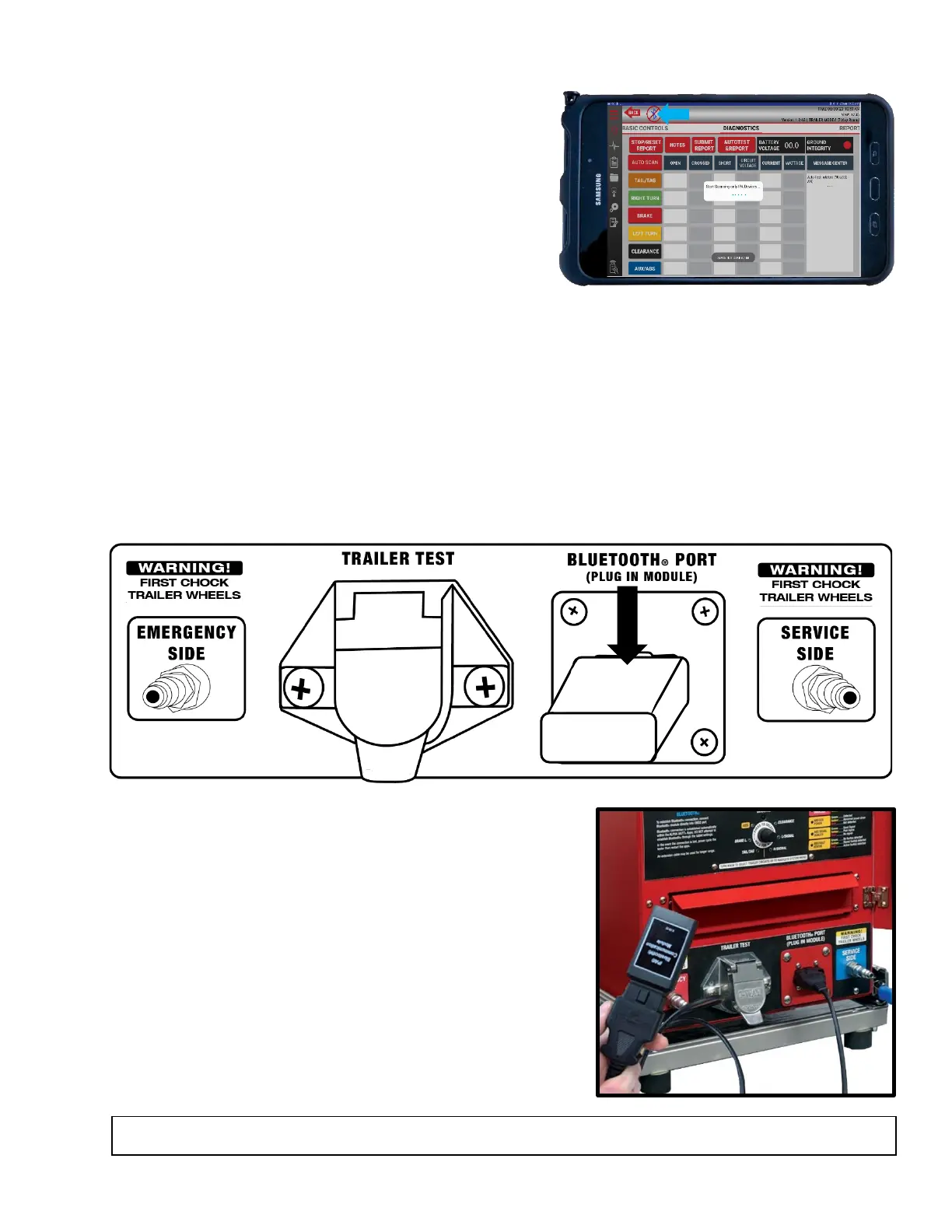
The tablet controls the Alpha MUTT
®
through a
Bluetooth
®
connection; 4.0 or newer BLE (Bluetooth
®
Low Energy) technology. This technology provides
faster response times at longer distances. If the BLE
connection is lost during operation, you can attempt to
reestablish the connection by accessing the BLE
Connection button in the Alpha MUTT
®
app. Otherwise,
shut down the app and cycle power to the trailer tester.
6.1 Installing the Bluetooth
®
Communication Module
The Alpha MUTT
®
communicates with the Alpha MUTT
®
app via the Bluetooth
®
Communication Module
(#5700-BT-AS located in the unit’s drawer). The Bluetooth
®
Communication Module can be installed
directly into the Bluetooth
®
Communication Port on the front of the tester, or you can use the 6‘ Bluetooth
®
Antenna Extension cable included with your unit (#CBL-OBD2EXT).
Direct Connection
Plug the Bluetooth
®
Communication Module directly into the Bluetooth
®
Communication Port on the front
of your unit. Make sure to insert the module securely, pushing firmly until it bottoms out in the port for
best connectivity.
Using an Extension Cable
Plug the Bluetooth
®
Communication Module into the
female end of the included extension cable. Plug the male
end of the cable directly into the Bluetooth
®
Communication Port on the front of your unit. Make sure
to insert the module and cable securely, pushing firmly
until it bottoms out in the port for best connectivity.
Move the module and extension cable to a position that
provides the best range to the tablet. Typically, the closer
to large metal surfaces, the poorer the communicating.
WARNING: DO NOT GET WET. Water intrusion will damage the circuitry and damage the module.



 To Next Page