PART 9: AIR BRAKE TESTING
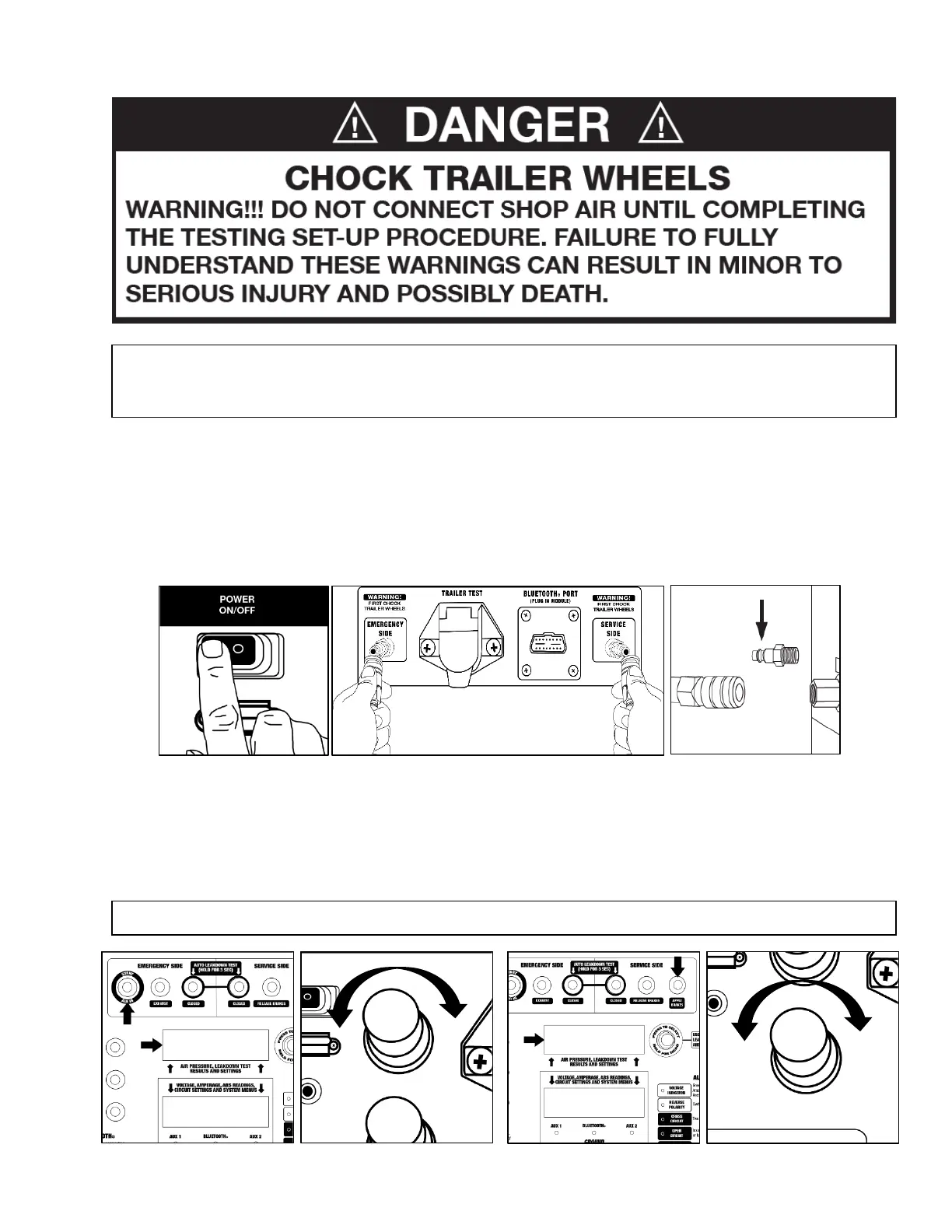
9.1 Testing Set-Up
1. Push the Power Source switch to the ON position.
2. Attach gladhand hoses from the Alpha MUTT
®
directly to your trailer’s air system, securing the red
hose to the Emergency Side and the blue hose to the Service Side.
3. Connect your shop air to the air inlet on the tester.
4. Listen for any air leaks where the shop air connects to the tester, to avoid erroneous results.
5. Press the Start/Air In button to view Emergency Side air pressure on the Upper LCD screen, then
adjust regulator(s) to desired PSI.
6. Press the Apply Brakes button on the Service Side to allow the air to fill the system. View the
pressure reading on the Upper LCD screen.
a. If your tester is equipped with the optional Service Side regulator, adjust it to the desired psi.
NOTE: Single regulator systems will adjust pressure for both the Emergency and Service sides.
NOTE: The Alpha MUTT
®
is equipped with a safety feature which requires the user to acknowledge
the vehicle’s tires are securely chocked prior to resting. Until this is completed, the tester will not allow
operation of the air brake controls.



 To Next Page