PART 12: UPDATING FIRMWARE
IPA
®
may periodically update the firmware for the Alpha MUTT
®
to increase functionality. While we try to
always send out testers with the most up-to-date version of firmware, it is good practice to check for
updates before you begin using the tester.
From a computer, visit www.ipatools.com/updates. Create/login to your account with your email. If there
are any updates available to the firmware, simply download them directly to your computer and then
extract the raw files from the zip folder and save them to a USB flash drive.
12.1 Updating the System Firmware
Turn the Alpha MUTT
®
on.
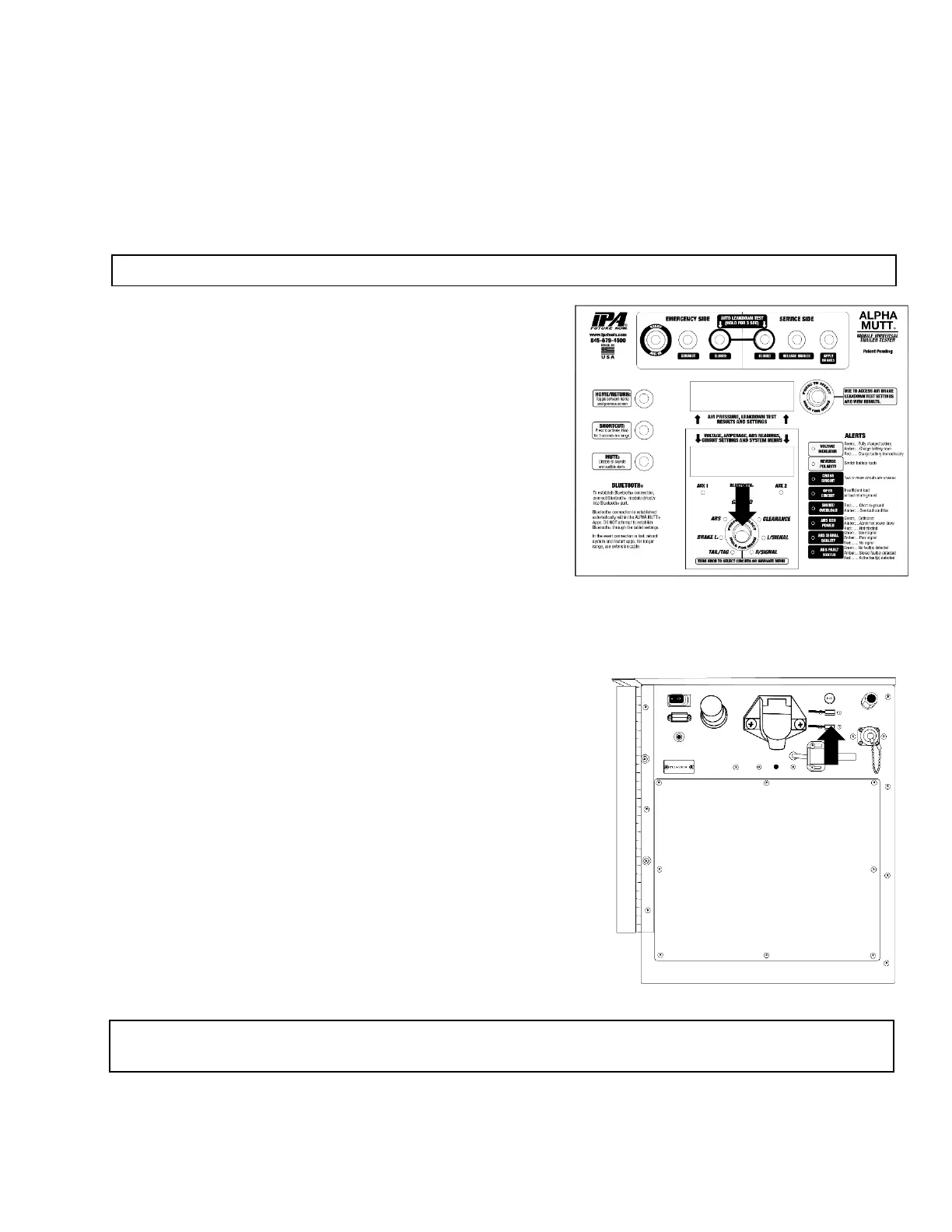
After the system fully boots, press and hold the Lower
Control knob for 3 seconds to access the system settings.
Rotate the knob clockwise until you reach the UPDATE
SYSTEM FIRMWARE menu option. Press the control knob
and follow the instructions on the display.
12.2 Updating the ABS PLC Firmware
With the tester off, insert the USB flash drive with the ABS
PLC Firmware into the Lower USB port located on the side
panel.
Turn the tester on. After the system fully boots press and
hold the Lower Control knob for 3 seconds to access the
system settings.
Rotate the knob clockwise until you reach the PLC
FIRMWARE menu option. Press the control knob and allow
the unit to read the newly installed firmware revision.
NOTE: The USB must be 4 GB or less.
NOTE: For assistance or questions regarding updating the firmware on the Alpha MUTT
®
please
contact Technical Support at 888-786-7899 or email tech247@ipatools.com.



 To Next Page