3 DEVICE MANAGEMENT
3 DEVICE MANAGEMENT
3.3 Recording Modes
3.3 Recording Modes
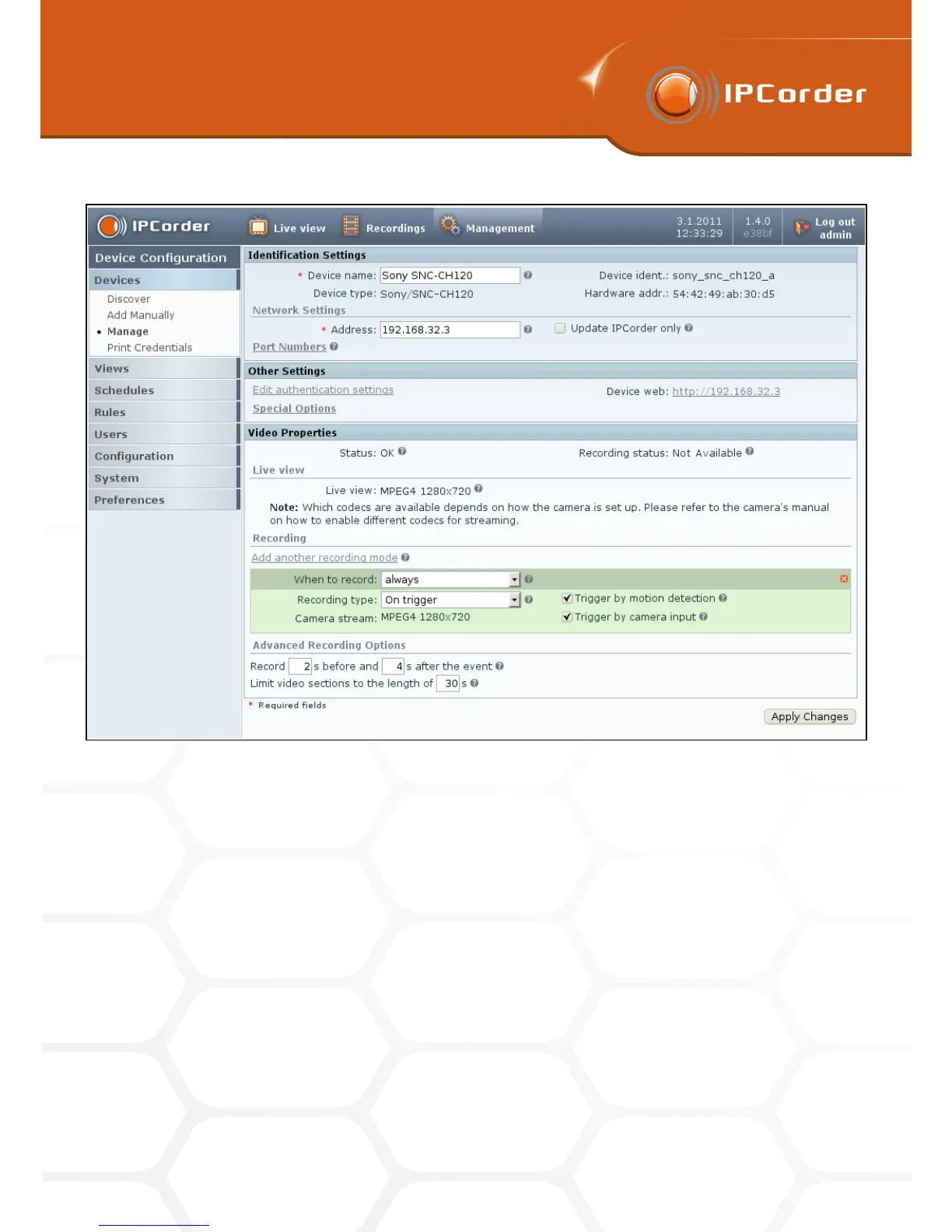
Figure 16: Device settings
In the upper part of the form, the actual status is displayed (whether the device is available, in case it is not,
then why etc.). The status shows whether the device is presently recording, in what resolution and what video
codec is being used (Recording status).
In the default settings, the cameras only show the Live View and no data or events (such as motion detection)
are recorded. The information about camera’s resolution and used codec can be found next to the Live view
checkbox. If the camera supports multiple streams, the user can choose which should be displayed.
The recording modes can be configured in the section Recording. The IPCorder interface offers the possibility
of defining so-called schedules (i.e. various periods of time within a week, for example Monday and Wednesday
from 7am to 2pm) and subsequent configuring of different system behaviour for each of them. When configuring
recording modes, it is necessary to extend the form for each additional schedule that is to be used by clicking
the Add anothr recording mode button.
For each form, it is then necessary to choose a particular schedule, which defines when to record, and the
appropriate recoding mode:
24



 To Next Page