3 DEVICE MANAGEMENT
3 DEVICE MANAGEMENT
3.6 Device Removal
3.6 Device Removal
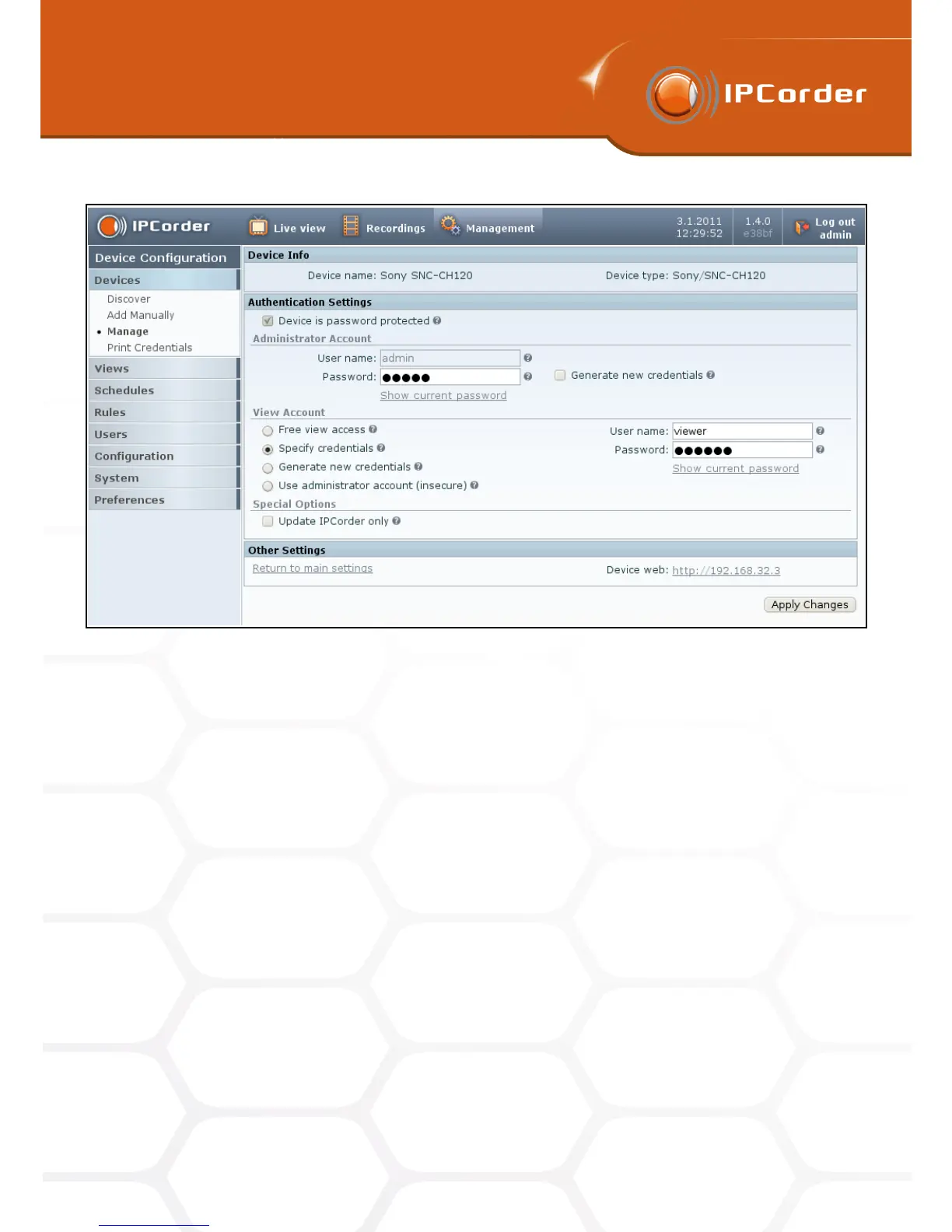
Figure 19: Device authentication settings
• Use administrator account (insecure) – IPCorder will use the administrator account also for view access.
This approach is considered as insecure because administrator password is transmitted on network
without protection.
• As with the IP address configuration, the Update IPCorder Only button allows to synchronize the
information (both about the authentication in general and particular passwords) set on the camera and
on the IPCorder (e.g. if a password has been changed directly in the camera’s web interface). In this
case, it is necessary to fill in the passwords set on the camera and tick this checkbox before applying the
changes.
Confirm the changes by clicking the Apply Changes button.
3.6 Device Removal
If, for any reason (e.g. the device was damaged or became redundant etc.), you wish to remove a device
from the system, click the Remove link available in list of active devices in the menu Management – Device –
Manage. Please note that by removing the device, you are also removing the data recorded by the device.
28



 To Next Page