4 RECORDING MANAGEMENT
4 RECORDING MANAGEMENT
4 Recording management
4.1 Live View
The live stream from devices is available in the menu Live View.
The IPCorder viewing applet allows simultaneous viewing of multiple device outputs with no need for separate
browser windows for each individual camera. The organization of the layouts of the outputs from multiple
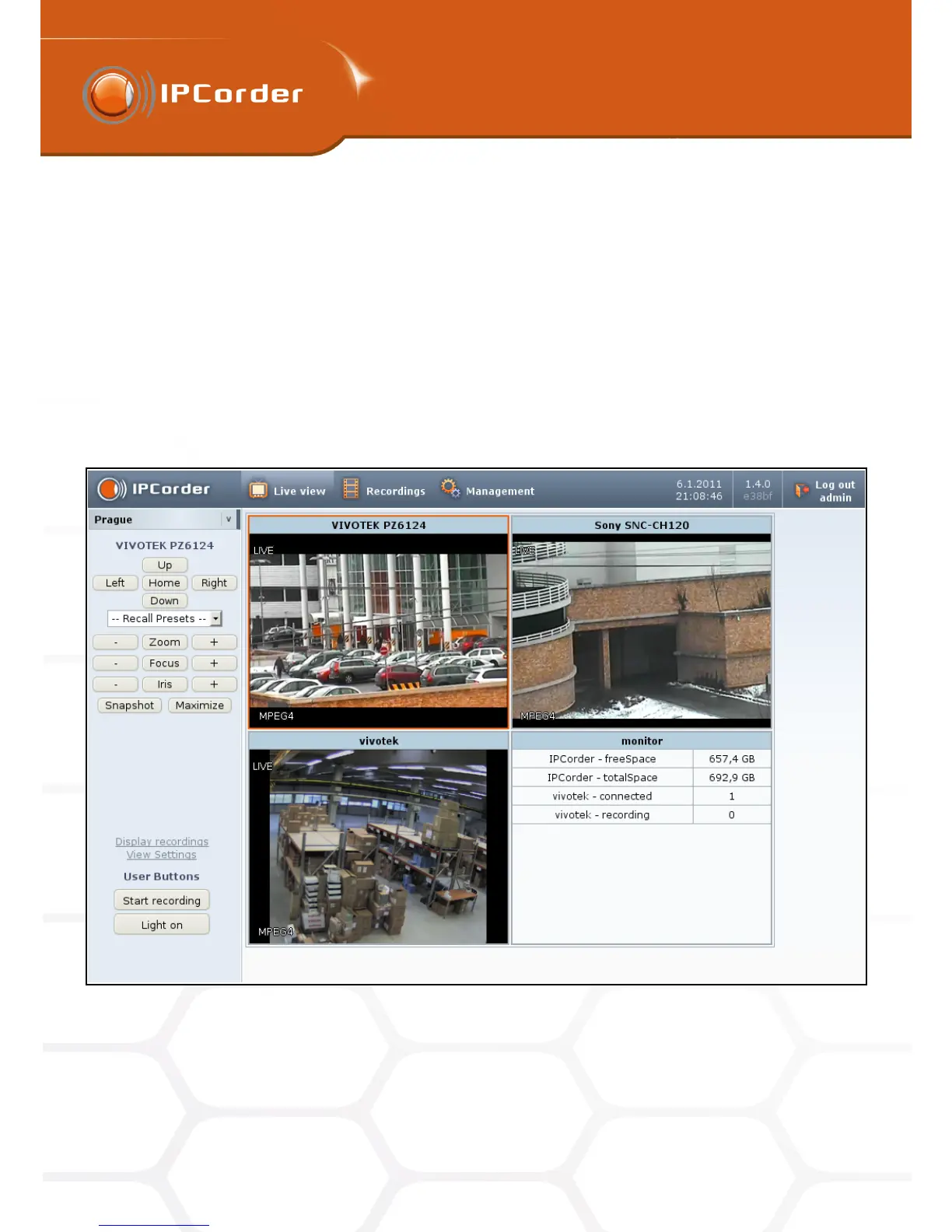
cameras on the Live View page (Figure 20) is defined by so-called Views (see bellow). For viewing the live
stream, it is necessary to configure at least one view in the menu Management – Views. The Add New View
link in the Live View section also leads to the menu Management – Views.
Figure 20: Live view
The list of existing views is to be found in the column menu on the left side. The chosen view then appears on
the right part of the page divided into particular segments according to settings of the particular view.
29



 To Next Page