2 FUNCTIONS OVERVIEW AND MANAGEMENT
2 FUNCTIONS OVERVIEW AND MANAGEMENT
2.8 User Account Management
2.8 User Account Management
2.8 User Account Management
The IPCorder interface offers two types of user accounts – Administrator Account and User Account. The
administrators can change any system configuration, including all preferences related to configuration of user
accounts in the menu Management – Preferences – User Preferences (Figure 11).
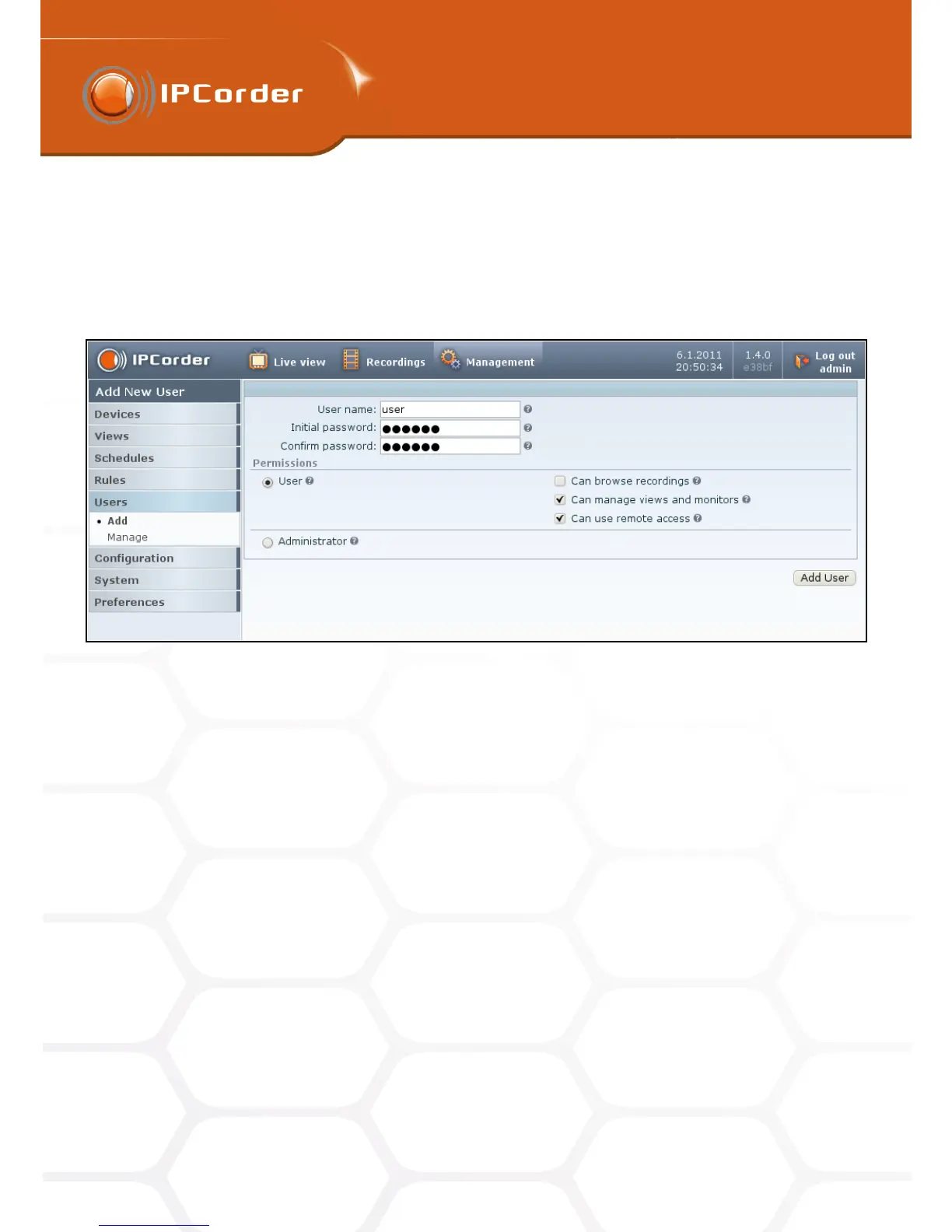
Figure 11: User Account Management
If you wish to create a new account, go into menu Users – Add (Figure 11), insert new User Name, Password,
pick the type of the account (either User or Administrator) and click the Create button.
In the default settings, the user can only view the live stream from cameras. When logged in as a user, only
the list of Views with info about their layout (for example 2x2) will appear in the Management menu. Similarly,
only the list of devices with their IP addresses will be accessible in the menu Devices. In the default settings,
users can also change their password in the menu Management – User – Manage or adjust their personal user
settings (see the User Settings section).
While creating a new user account, the administrator can, by ticking appropriate checkboxes, delegate the user
privileges for browsing the recorded data, creating his own Views or if need be, allow him to use the remote
access (for this setting to function, you first need to configure the remote access to the IPCorder properly in the
menu Management – Configuration – Remote Access).
Confirm the changes by clicking the Apply Changes button.
The administrator can erase, edit privileges, or if need be, change the password to any existing user account
(for example if the user has forgotten his/her password) in the menu Management – Users – Manage.
17



 To Next Page