2 FUNCTIONS OVERVIEW AND MANAGEMENT
2 FUNCTIONS OVERVIEW AND MANAGEMENT
2.7 Remote Access
2.7 Remote Access
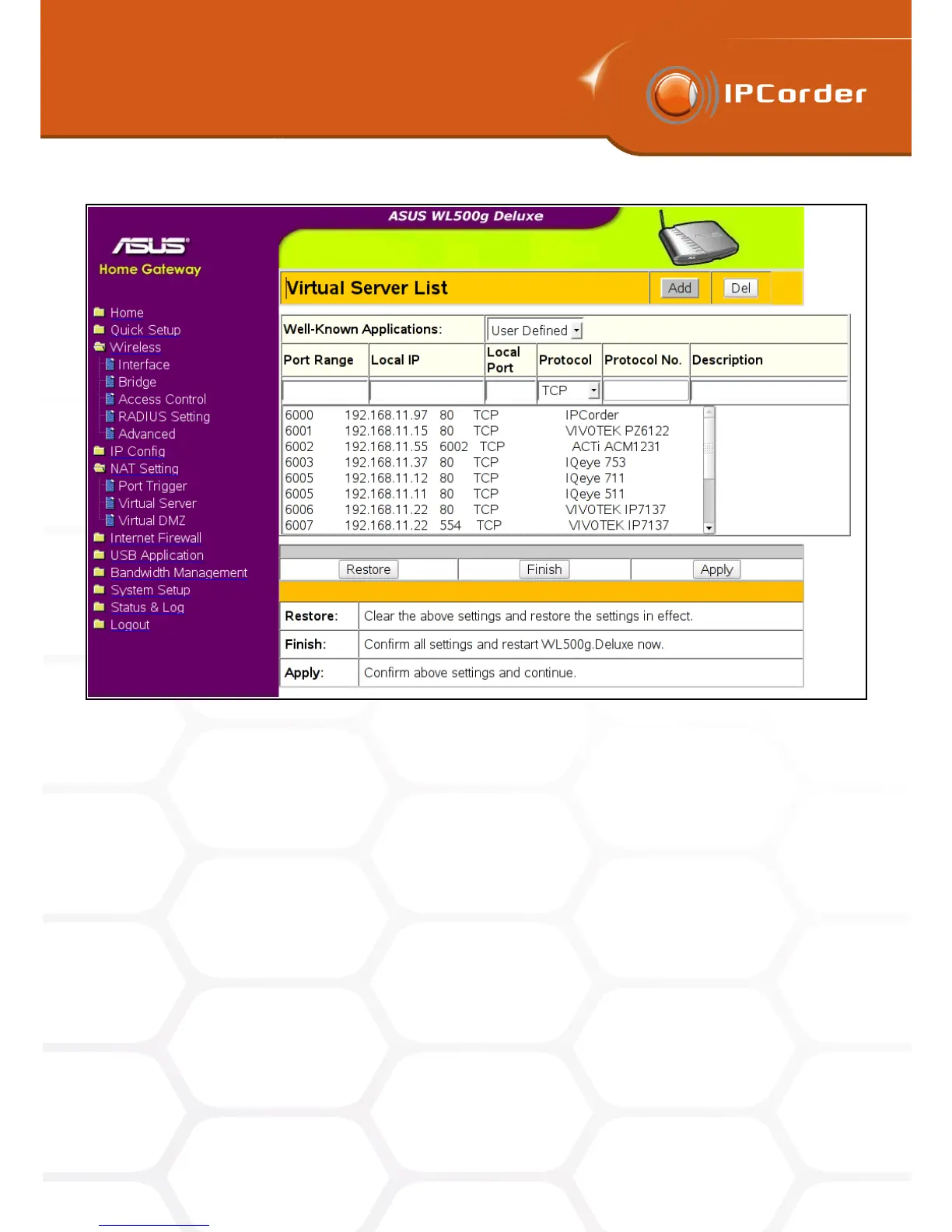
Figure 10: Example of manual router setup
guess the IP Address and Port number and whoever can then repeatedly access the subordinate devices even
without the IPCorder interface. The Automatic Router Control option is thus partially also a security upgrade
because the access to cameras is open only for the length of time absolutely necessary (only when the user is
watching the live camera stream in IPCorder’s viewing applet) and what is more, the assigned ports differ with
each access.
The IPCorder with the remote access enabled is automatically attempting to distinguish whether the user is
connecting to it from the local network or remotely. If the remote access is detected, a checkbox Force Local
Access appears on the login page. A misdetection of remote access might occur, even when the user is in
fact accessing the IPCorder from the local network. In cases like these, tick this checkbox to ensure proper
operation of the interface and all its functions.
If you are unsure about any of these settings, please contact your local network administrator or your Internet
access provider for advice.
16



 To Next Page