2 FUNCTIONS OVERVIEW AND MANAGEMENT
2 FUNCTIONS OVERVIEW AND MANAGEMENT
2.2 Network
2.2 Network
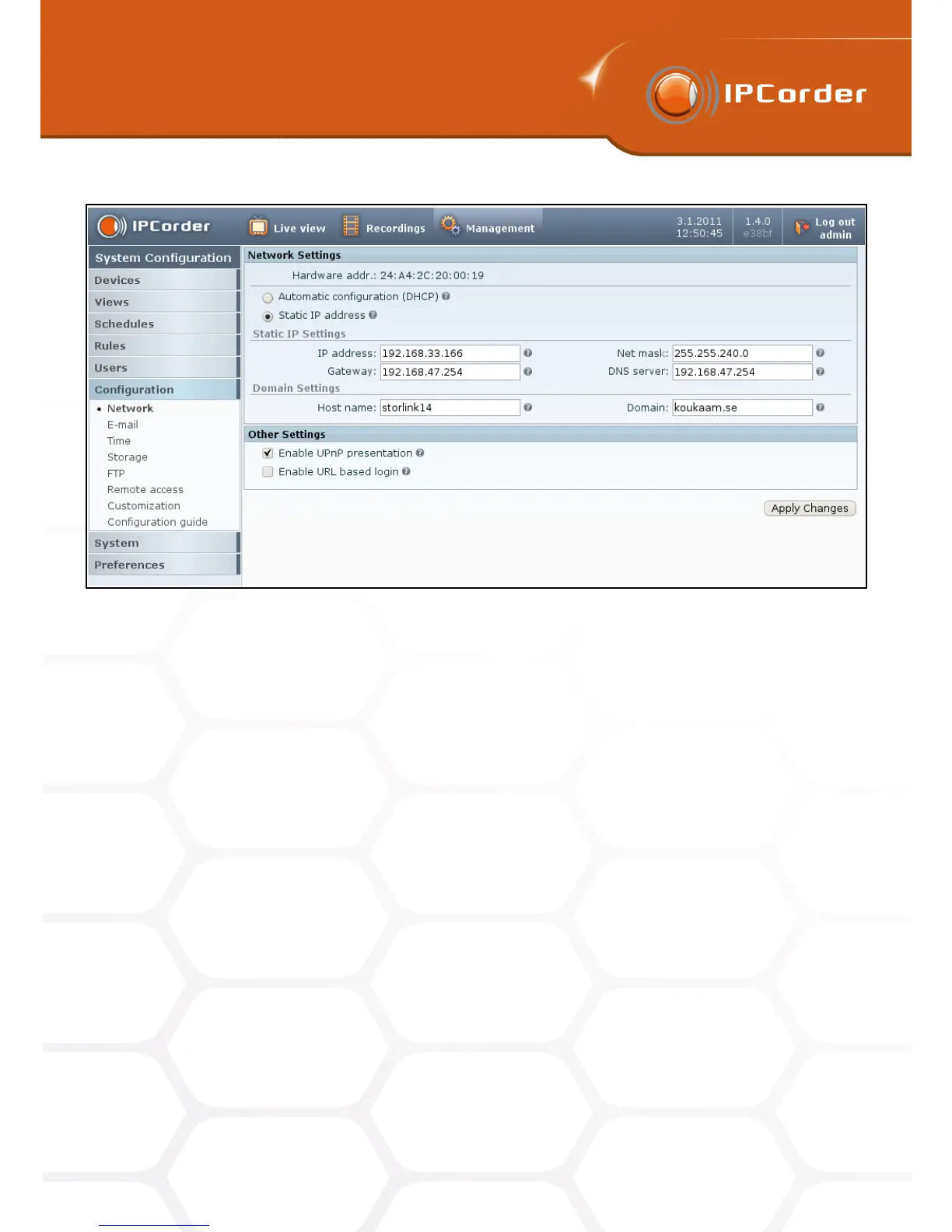
Figure 2: Network settings
• Automatic configuration (DHCP) – If this option is selected, IPCorder will attempt to configure the network
settings automatically with the information the device receives from the DHCP server. The values inserted
in the input boxes, such as the IP Address, Net Mask, Gateway or the DNS server, will be ignored.
• Static IP Address – If this option is selected, it is necessary to manually insert the parameters of the IP
Address, Net Mask, Gateway and eventually also of the DNS server.
• IP Address – Is the address at which the device is available within the local network.
• Net Mask – Is the mask of the local network (or a segment of it) to which the device belongs (for example
255.255.255.0).
• Gateway – Is an IP Address at which a Gateway or a Router is available for forwarding communication
from the local network to the Internet and other external networks.
• DNS server – Is an IP Address of the Domain Name Server, which the device should use for translation
of the DNS names to IP Addresses.
In the Domain Settings you can configure under what DNS name should the IPCorder appear within the
network:
• Host Name – The DNS name chosen for the IPCorder within the domain (for example in
mybox.example.net it is mybox). If there is none, you can use “localhost.” However, if you plan to
have IPCorder sending e-mails (see the section E-Mail), it is necessary that the SMTP server be able
to recognize the device under such a name.
8



 To Next Page