LIP-8012D & LIP-8024D User Guide
4
iPECS LIP-8012D & 8024D Connections
1.5.2 Wiring Connectors
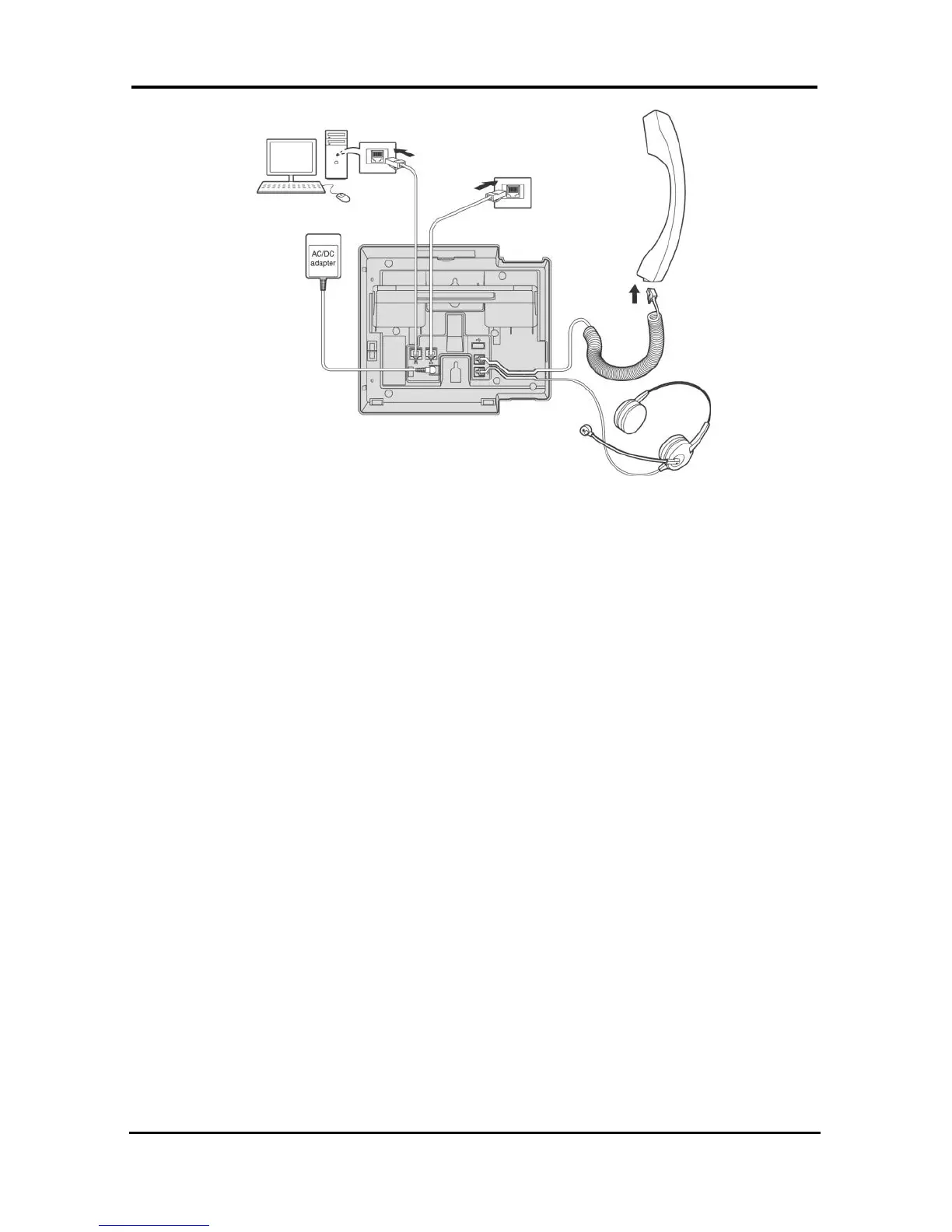
The LIP-8012D & LIP-8024D each have two (2) 10/100
Base-T Ethernet ports, a “LAN” port and a “PC” port.
An intelligent switch, which implements voice packet
priority, connects the two (2) ports. This permits the
LAN to be shared between the LIP Phone and the
desktop PC or other Ethernet terminal without
significant affect on the voice or data traffic. The “LAN”
port is connected to the LAN as described above for the
single port Phones. The “PC” port is connected to a
desktop device using any standard straight through
category 5 cable.
1.5.3 Power
All LIP-8000 series phones can be powered by the
AC/DC Adapter-K- (48 VDC @0.3A) or over the LAN
cable using the POE8 or other 802.3af compliant switch.
If using the AC/DC Adapter, after connecting the Phone
to the LAN, the Adapter’s DC voltage plug is inserted
into the power-input jack in the underside of the Phone.
One end of the AC power cord is inserted into the
mating receptacle of the AC Adapter, and the other end
is inserted into the AC power outlet.
NOTE—LIP-8000 series consoles are powered through
the flat cable used to connect the console to the IP



 To Next Page