LIP-9002 User Guide - ST 45
To assign a feature to a Flex button:
Press the TRANSFER (PGM),
Press the desired Flex button,
– In case of a Station number, Outside Line, or Line group, enter the
number, and press the HOLD (SAVE) button.
– In case of a Flexible Numbering Plan Code, enter the code, and
press the HOLD (SAVE) button.
– For a User Program code, press the TRANSFER (PGM) button,
enter the User Program code then press the HOLD (SAVE) button.
9.3 Network Configuration
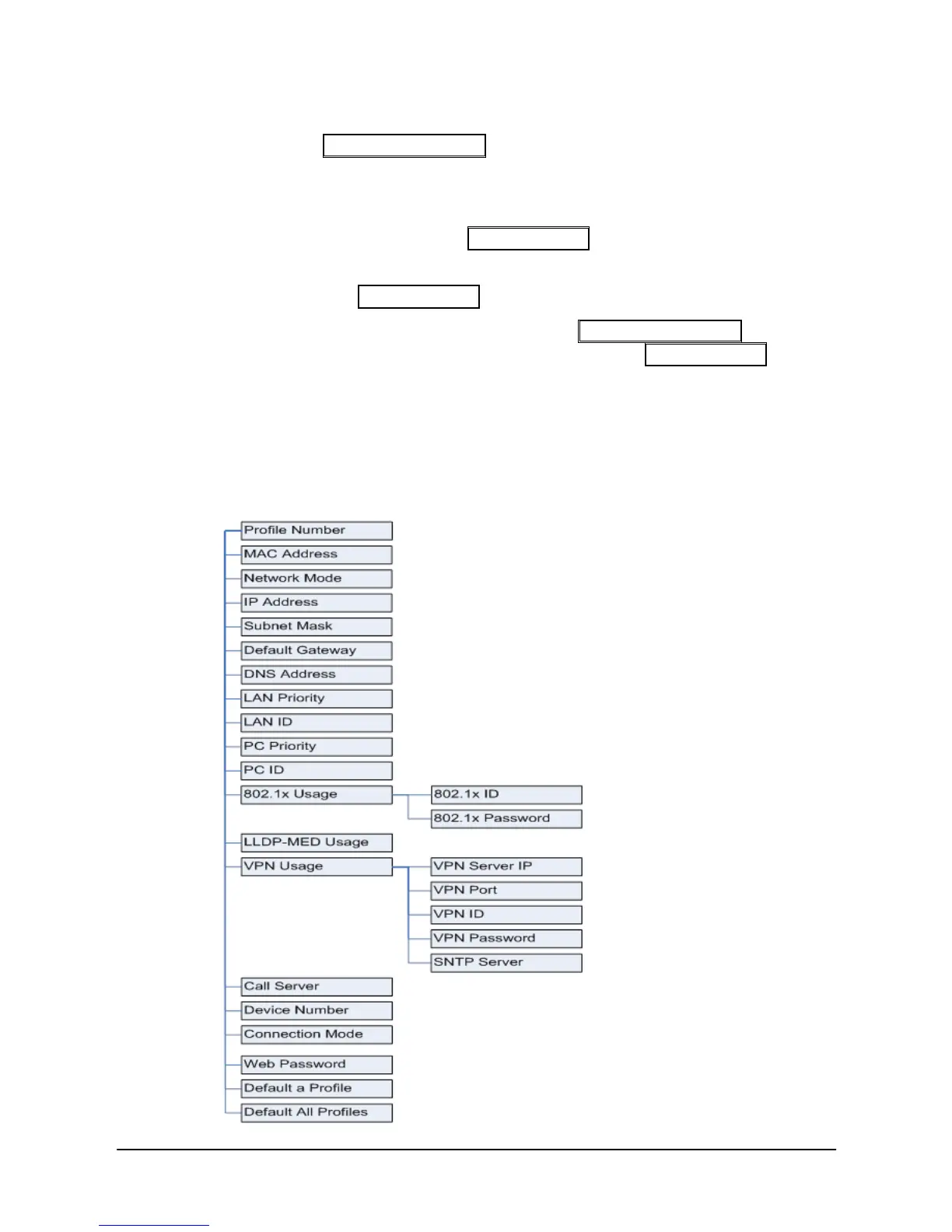
The Network Configuration menu affects the connection of your phone to
your local area network; it is intended for access by trained technicians only.
The structure of the Network Configuration menu is shown below.



 To Next Page