16 iRobot Roomba 500 Series
TIP: To conserve battery life, remove the batteries if you are not planning to
use the Virtual Wall Lighthouse when cleaning. When battery levels are
low, the Virtual Wall Lighthouse power light will ash repeatedly.
Virtual Wall
®
Lighthouses
™
(continued)
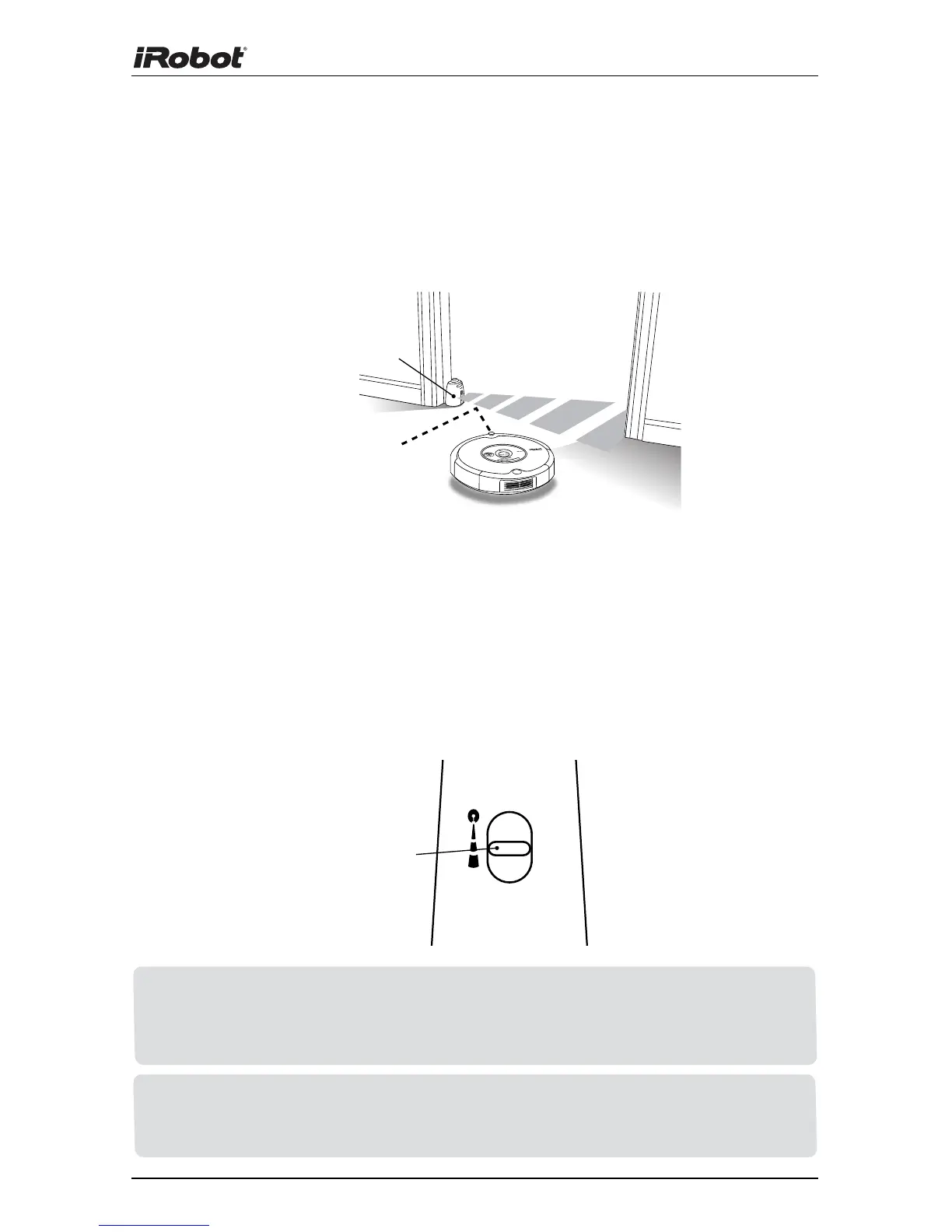
In Lighthouse mode, place the Virtual Wall Lighthouse in the doorway
between two rooms with the iRobot logo facing forward.
Place Lighthouse
in the center of
the door frame
Virtual Wall Mode
In Virtual Wall mode, the Lighthouse creates an invisible barrier that
Roomba will not cross. It automatically turns off when Roomba turns off.
In Virtual Wall mode, place the Virtual Wall Lighthouse in the center of
the door frame. It blocks an opening up to seven feet or longer in three
increments: 0-3 ft., 4-7 ft., 7+ ft. Use the range selector to adjust the
length of the barrier. A longer range will drain the battery faster.
TIP: Avoid placing Virtual Wall Lighthouses too close to each other, the
Home Base, or furniture that could block the beams. Doing so could
prevent Roomba from recognizing the Lighthouses and navigating to the
next room.
Range
Selector











 To Next Page