For more detailed information, visit: www.irobot.com 17
Home Base
®
(optional accessory for selected models)
Always keep the Home base plugged in.
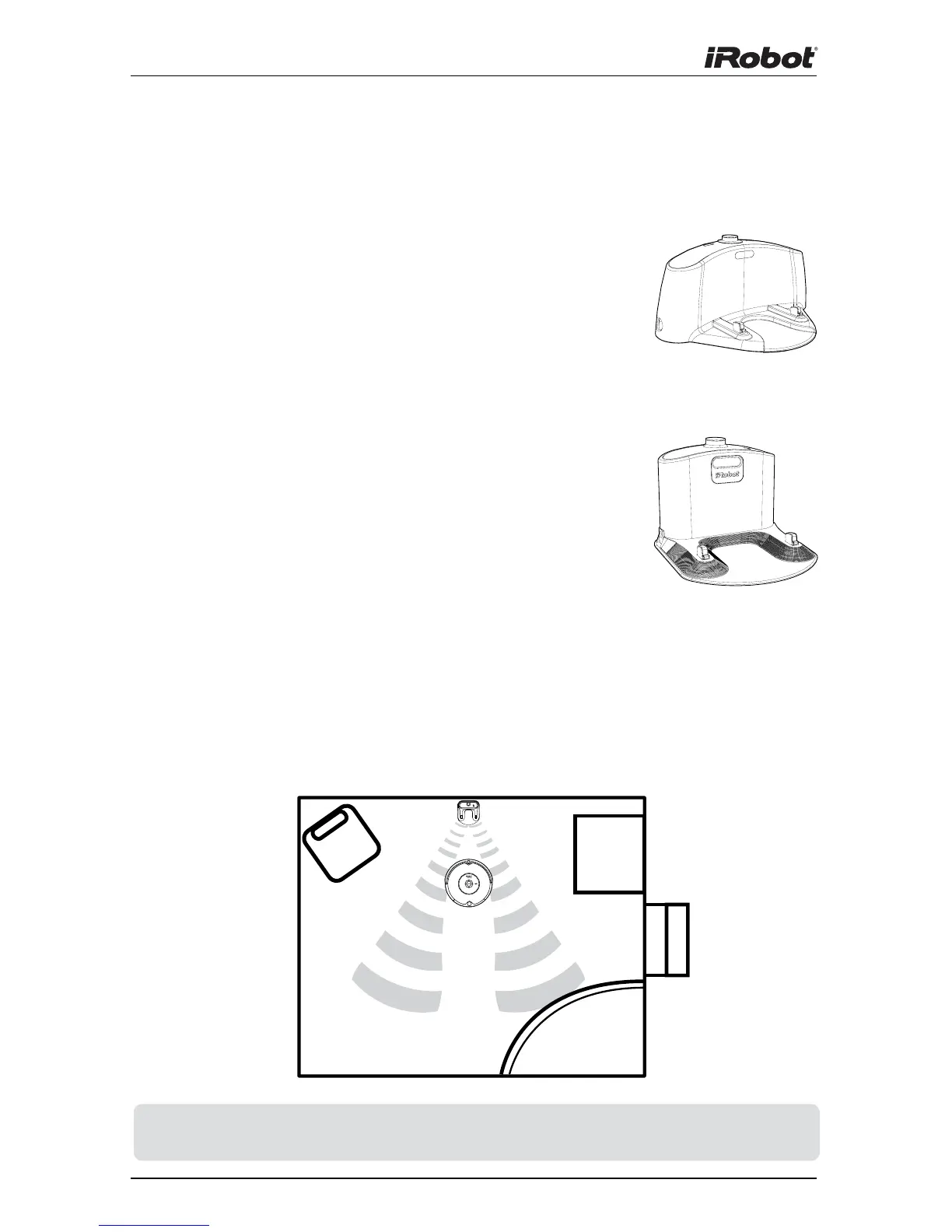
Original Home Base
When Roomba is on the Home Base, the power and
docked lights are green to indicate Roomba is charging.
Compact Home Base
When the Home Base is plugged in, the power light
blinks to indicate that it is connected to the power
source. When Roomba connects to the Home Base, the
power light is solid to indicate that Roomba successfully
connected to the Home Base. When Roomba is
charging, Roomba’s “Clean” button pulses amber as
described in the “Battery Storage and Charging” section
of this manual. The “Clean” button is a solid green when
Roomba is completely charged.
Home Base Location
You should position the Home Base on a hard level surface and in an
area where Roomba has a clear path to return at the end of a cleaning
cycle. Locate the Home Base against a wall or other immovable object to
prevent it from sliding during docking. If Roomba is unable to dock on its
first attempt, it will try again until it docks successfully.
TIP: Do not place the Home Base within 4 feet of a stairwell.











 To Next Page