iTherm
®
280 Programmer’s Guide Programming Codes
28-07764 Rev C Page 209
Bit-Image Commands
Function Select Bit-Image Mode
ASCII [ESC] * <m> <nl> <nh> <dl> … <dk>
Hexadecimal 1BH 2AH <m> <nl> <nh> <dl> … <dk>
Decimal <27> <42> <m> <nl> <nh> <dl> … <dk>
Range <m> = 0, 1, 32, 33
0 ≤ nl ≤ 255
0 ≤ nh ≤ 3
0 ≤ d ≤ 255
k = nl + nh x 256 for <m> = 0 or 1
k = (nl + nh x 256) * 3 for <m> = 32 or 33
Description [ESC] * <m> <n
l
> <n
h
> <d
l
> … <d
k
> command selects a bit-image mode using
<m> for the number of dots specified by (n
l
+ n
h
x 256) in mode 0 or 1 and (n
l
+
n
h
x 256)*3 in mode 32 or 33 and <d> indicates the bit image data. Set a bit to
one to print a dot, or set a bit to zero to not print a dot. Use the command to print
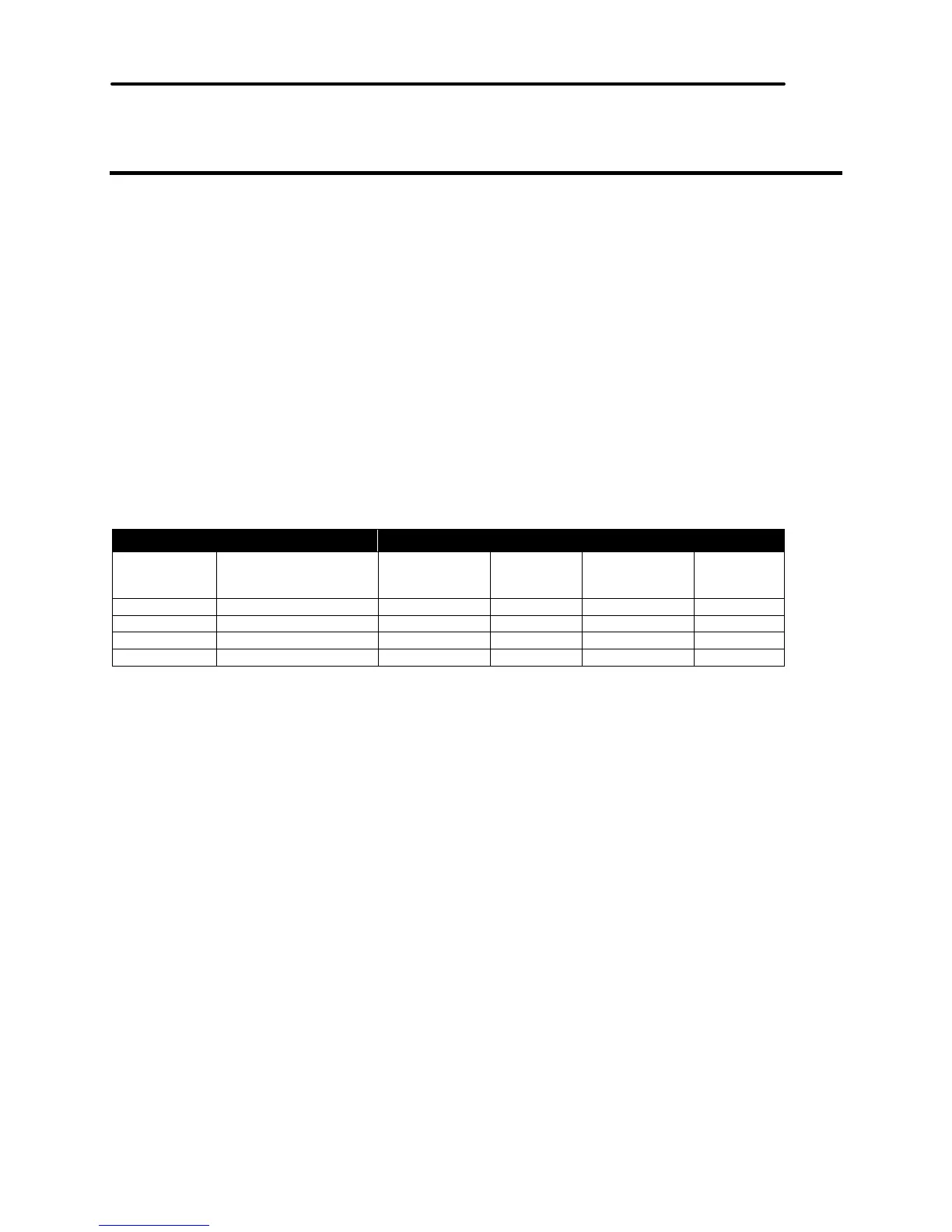
a predefined picture or logo. The modes selectable by <m> are listed below.
<m> Mode Vertical Direction Horizontal Direction
Dot Density Number of
Dots
Dot Density Number of
Dots
0 8-dot single density 101 dpi 8 80 dpi 200
1 8-dot double density 101 dpi 8 160 dpi 400
32 24 dot single density 101 dpi 24 120 dpi 300
33 24 dot double density 203 dpi 24 240 dpi 600
Table 27 Print Density Selection



 To Next Page