User manual
Strona 10 z 36 IU_M710P_MANUAL_05i00_ENG
2. User interface
2.1. Front panel
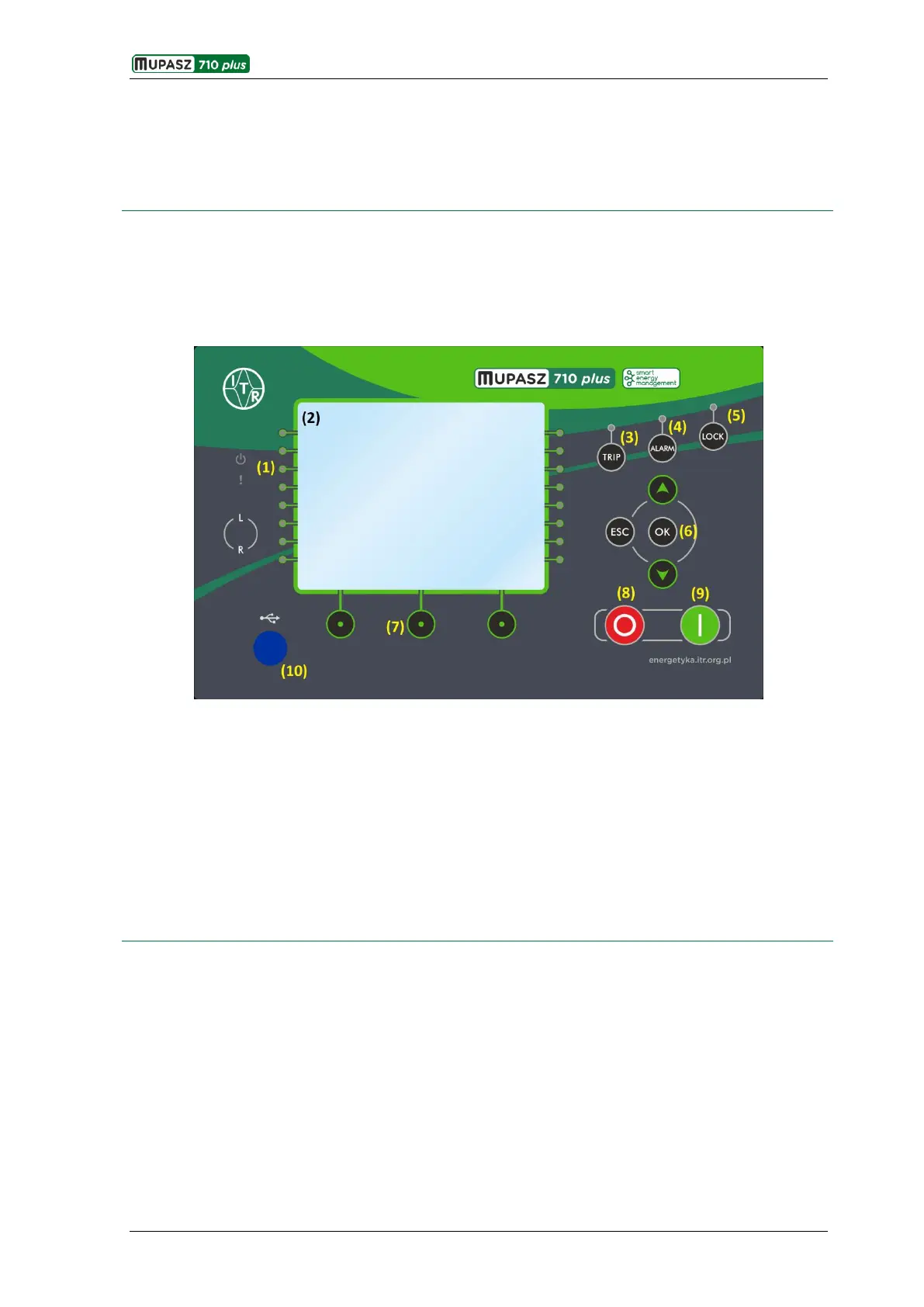
The front panel hosts:
320x240 pixel backlit graphic display;
control keyboard of the device;
LED signal diodes;
USB service port for communication with ELF software tool.
Fig. 2.1.1 Front panel
1) Freely programmable diodes; diode descriptions on graphic display.
2) Colour graphic 320x240 pixels display.
3) Emergency opening signalization cancelling key - TRIP.
4) Alarm cancelling key - UP .
5) Active circuit breaker lock cancelling key - LOCK.
6) Menu navigation keys.
7) Context keys.
8) Control key – OPEN.
9) Control key – CLOSE.
10) USB mini B service connection port.



 To Next Page