User manual
Strona 20 z 36 IU_M710P_MANUAL_05i00_ENG
3.9. Management
3.9.1. Settings
Menu > Control > Settings
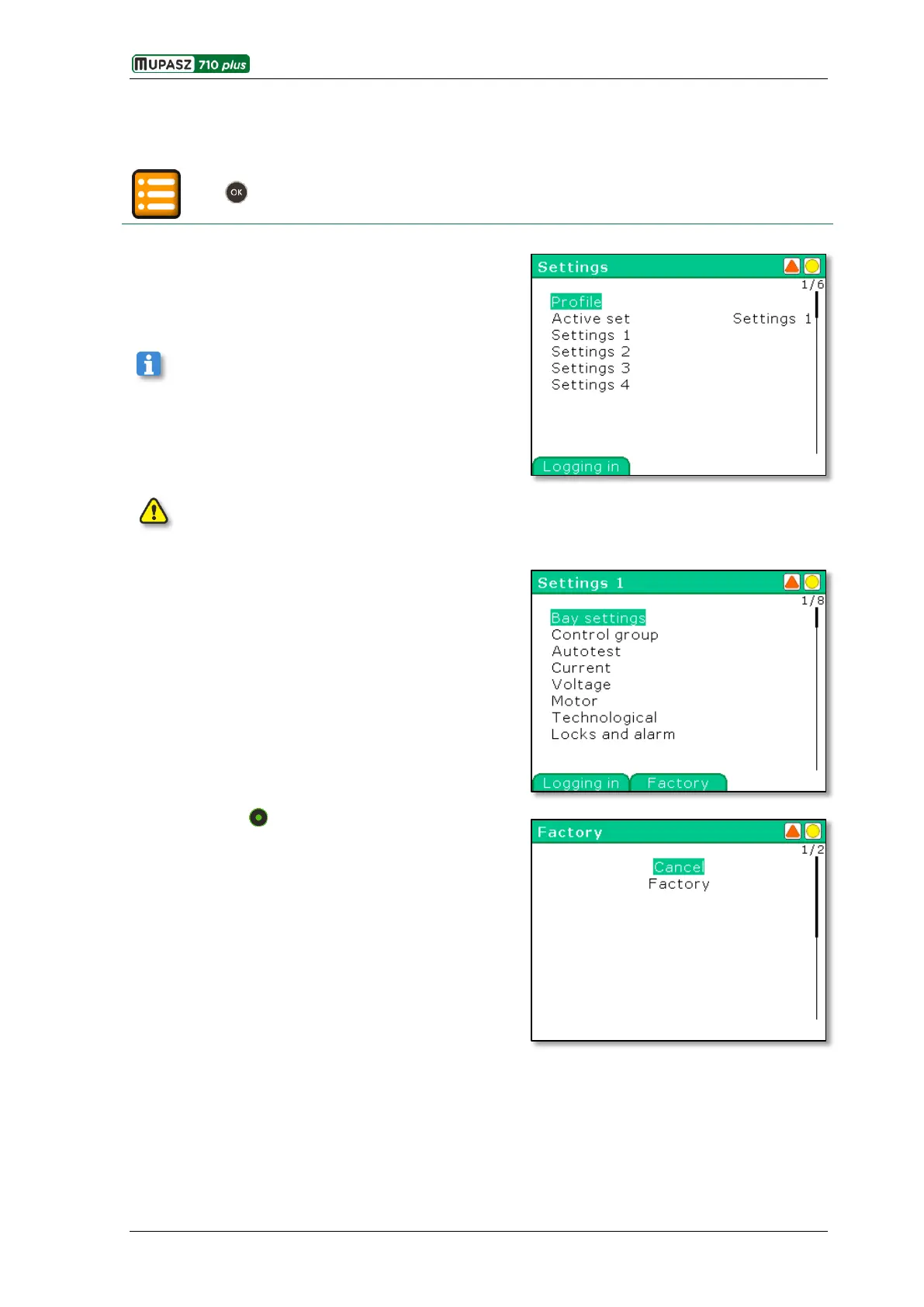
The Settings submenu allows selecting active bay type
(profile), active set of settings and reviewing and editing
parameters in one of four sets of settings.
Settings may be modified by a user with adequate
level of privileges (see chapter 3.9.2.1. User Manager).
Modified parameters are memorized in the set of settings being edited.
Menus of all sets of settings for a given profile are identical.
Algorithms of protections and automatic functions, control
and monitoring functions and nominal values are grouped
in separate menu branches.
After pressing the Factory context key all parameters in
a given set of settings may be restored to factory values.
The Cancel command opens again the window with
configuration of settings in the edited set. The Factory
command will be executed or information displayed that
the command cannot be executed. Additionally, a relevant
event will be logged in the Event log.



 To Next Page