User manual
IU_M710P_MANUAL_05i00_ENG Strona 23 z 36
3.9.2. Supervision
3.9.2.1. User manager (UM)
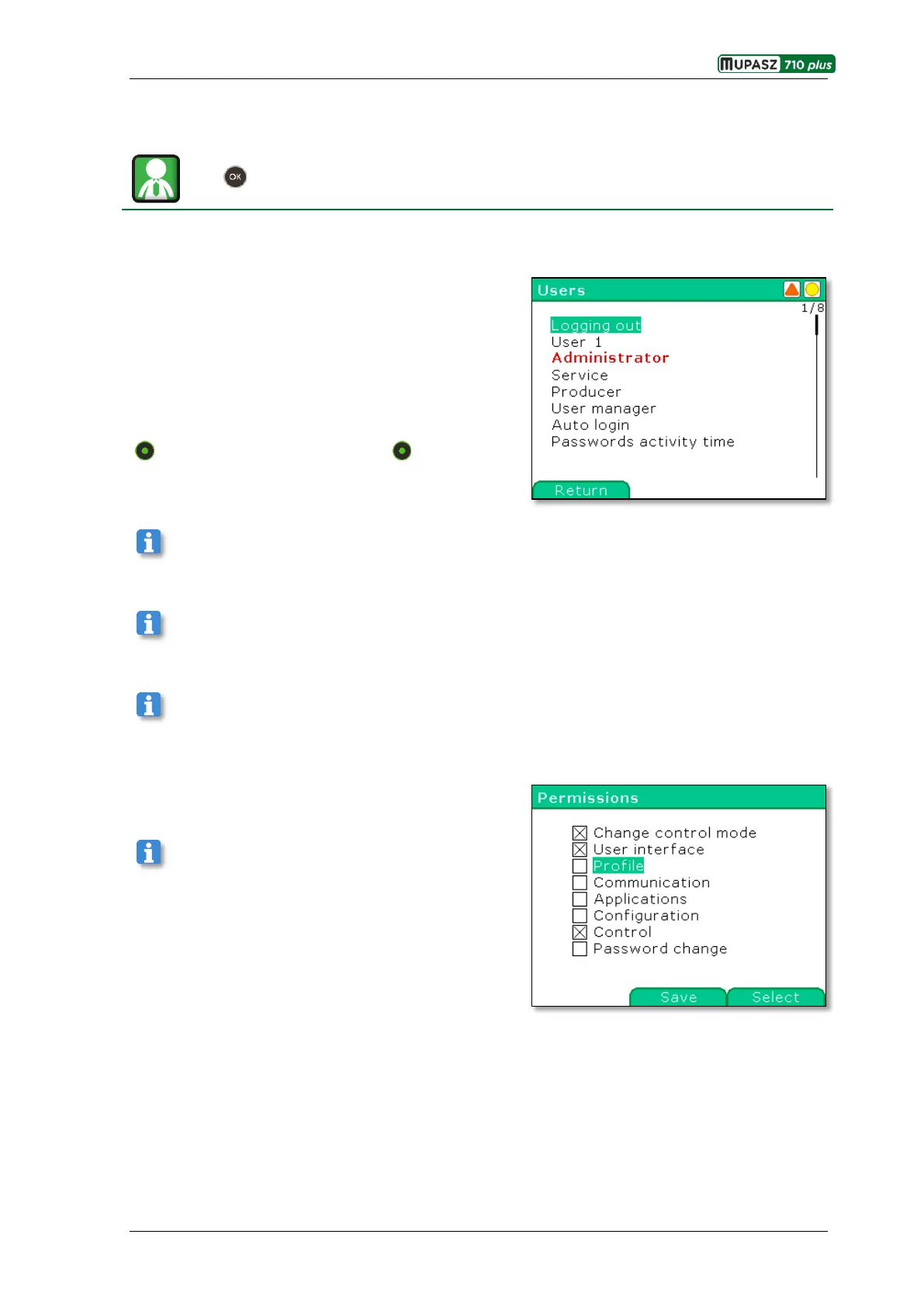
Menu >Management> Supervision > Users
The application controls and identifies access by 14 users to device functions, e.g.: changing set points,
editing configuration parameters, controlling switches, operating fault recorder, etc.
Currently logged-in user is displayed In red.
The device Has 5 access levels with different user
privileges.
User not logged in
10 users to be defined
Administrator
Service
Producer
Return – opens the window in which Logging in was
lately used
Producer and Service users have privileges allowing servicing of the devices; these privileges are not
granted to the operating personnel.
Activation of the Auto login function results in keeping the latest logged-in user in memory and thus the
user is not changed after device restart.
If the Autologging function is not active the user is logged in for Password activity time [h:m], after that
time automatic logging out takes place (switching to User not logged in).
Administrator may grant privileges (see figure) to defined
users (also to not logged-in user).
User may be defined in the User manager window by
granting him a password. This operation results in adding
the new user to the list in the Users window.



 To Next Page